Why AI-Generated Code Isn’t Boosting Productivity: The Downstream Bottlenecks That Matter
AI coding tools can produce code quickly, but faster code generation does not automatically mean faster software delivery. The time saved writing a first draft can be eaten up by review, testing, debugging, integration, and maintenance. The useful question is not “How much code did AI write?” It is “Did the whole team deliver valuable, reliable software sooner?”
Key Takeaways- AI can speed up some coding tasks, but that does not guarantee faster delivery.
- Code review, testing, integration, and rework can become the new bottlenecks.
- Results depend on the task, the developer’s experience, the codebase, and the quality bar.
- Measure completed, reliable work—not lines of code or prompts sent.
- Use AI where it helps, and keep human responsibility for design, verification, and release.
I’m Ermenildo Valdez Castro, Jr., a software engineer who has worked in large technology organizations and now writes from Seattle. I’ve seen teams adopt tools with great energy, then discover that a faster first draft simply moved the queue to the next stage. That doesn’t make AI coding assistants useless. It means the real productivity question is bigger than typing speed.
This article looks at the gap between generating code and getting dependable software into users’ hands. It explains what the research can—and cannot—tell us, why downstream work matters, how teams can test AI tools sensibly, and what to measure before declaring victory. The aim is practical: less hype, fewer bad surprises, and more useful engineering work.
What Is the AI Coding Productivity Problem?
An AI coding assistant uses a model to suggest, generate, explain, or revise code. Tools such as GitHub Copilot can complete lines, produce functions from a prompt, draft tests, and help developers search unfamiliar code. The productivity problem appears when a team treats those outputs as finished work rather than as proposals that still need to be checked, fitted into a system, and maintained.
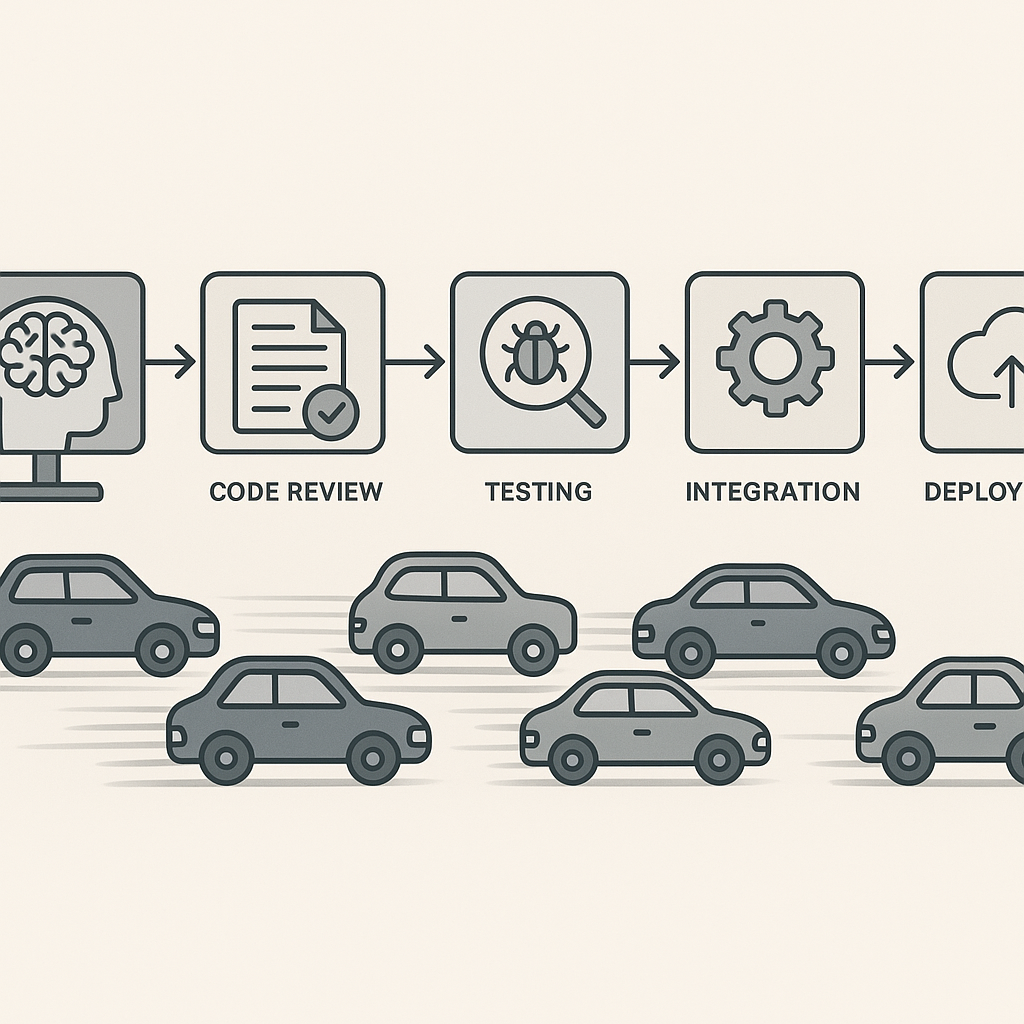
Software delivery is a chain of connected steps. A change may involve understanding a request, choosing an approach, writing code, reviewing it, testing it, integrating it, deploying it, and responding if it causes trouble. Speeding up one link may not speed up the whole chain. If code generation gets quicker while review stays fixed, more changes wait in review. If generated code contains subtle defects, debugging and support absorb the saved time later.
That is the point behind the headline’s focus on downstream bottlenecks. A developer can produce a plausible patch in minutes, yet the patch may depend on an unclear requirement, miss an edge case, or conflict with an existing design. The code exists. The engineering work is not done.
Research findings also need careful reading. In a 2025 randomized study, METR examined experienced open-source developers working on real tasks in repositories they knew. In that specific setting, participants using early-2025 AI tools took longer on average, despite expecting the tools to help. That is an important result, not proof that AI always slows developers down. The authors studied a particular group, task set, and tool period; other work may produce different outcomes.
For example, a GitHub-controlled experiment found that developers completed a bounded programming task faster with Copilot. A short, well-defined task is not the same as maintaining a large service for months. Both results can be true because the work and measurements differ.
I have seen this distinction in practice: a tool can help with a small, isolated task and still add friction to a change that crosses several services. Frankly, “AI productivity” is not one number. It is a claim that must be tested against the work a team actually does.
Core Benefits and Why They Matter
AI assistance can be useful. The mistake is assuming every benefit shows up as a faster release. Benefits may appear as less tedious work, faster learning, or a clearer first draft—valuable outcomes, but not identical to more reliable delivery.
- Less boilerplate. A model can draft repetitive code, such as a basic data transfer object or a familiar test setup. A developer can then focus attention on the parts that require judgment. This works best when the task has clear patterns and the result is easy to inspect.
- A quick starting point. Blank files can slow people down. A generated draft may help a developer begin, compare approaches, or notice missing requirements. I’ve found a rough draft most useful when I already know what a good answer should look like; it is less helpful when the prompt is standing in for a missing design decision.
- Help with unfamiliar code. Asking for an explanation of a function or a summary of a module can offer a first lead. The answer still needs checking against the source. A confident explanation can be wrong, especially when names and comments do not match the code’s behavior.
- Support for tests and examples. AI can suggest test cases, mock data, or a first test structure. Those suggestions may uncover a case the developer had not considered. They do not prove the software works, and generated tests can merely repeat the same mistaken assumption as the generated implementation.
- A learning aid. A new team member may ask for a plain-language explanation or an example of a library call. Used carefully, that can reduce the time spent searching. It should not replace reading official documentation or asking a teammate when the system’s local rules matter.
- More room for human judgment. If routine work takes less time, teams may have more time for accessibility, reliability, security, and clear communication. That is a real benefit only if the team uses the time that way. The dignity of engineering work includes caring about the people who depend on the software, not just producing more output.
The broader evidence warns against a narrow scorecard. The 2024 DORA report describes both potential benefits and costs associated with AI adoption, including reported gains in individual productivity alongside pressure on delivery performance and stability. The lesson is not that one tool caused every result. It is that individual speed and team outcomes can move in different directions.
Here’s the kicker: a tool can make a developer feel faster while creating more work for reviewers, testers, or operations staff. Measure the whole path. If AI helps someone write a patch but makes the patch harder to review, the benefit may be smaller than it looks.
Step-by-Step Guide to Testing AI Coding Tools
A sensible rollout starts with a question, not a purchase order. Pick a real problem, define what success means, and check whether the tool improves the work without shifting hidden costs onto someone else.
- Choose a specific task type. Don’t begin with “make engineering faster.” That phrase is too broad to test. Select a repeatable category, such as drafting unit tests, explaining unfamiliar code, creating routine scaffolding, or making a small, isolated code change. Keep high-risk or sensitive work out of an early experiment.
- Write down the current process. Record how the task is handled now: time spent understanding it, implementing it, reviewing it, testing it, and fixing defects. Include time from reviewers and test engineers, not only the person typing. In cross-team work I’ve seen, the initial implementation was only a small slice of the total effort.
- Set quality rules before the trial. Agree on what counts as acceptable: tests pass, style rules hold, security checks pass, behavior matches the request, and reviewers can understand the change. Don’t lower the quality bar to make the tool appear faster. That is like weighing a shorter bridge while ignoring whether it reaches the other side.
- Compare similar tasks. Use a fair control group or compare carefully matched work. One task completed by an expert and another completed by a beginner tell you little about the tool. Track task difficulty and developer experience. If possible, alternate tool use so you are not comparing different people’s habits.
- Include review and rework. Measure elapsed time and effort through the full change, including code review, test failures, integration delays, and post-release fixes. The METR study is a useful reminder that experienced developers working in familiar repositories may face costs that are easy to miss in a short demo. A task is not complete when the model stops generating text.
- Check correctness and maintainability. Ask reviewers whether the code fits local conventions, handles edge cases, and will be understandable later. Track defect rates and rollback or repair work where relevant. A fast patch that creates a long-lived maintenance problem is borrowed time, not a clean productivity gain.
- Protect private and sensitive information. Review the tool’s data handling, account settings, and company policy before using it. Do not paste credentials, customer data, private source code, or security details into a service unless its use is approved. Make responsibility clear: the developer submitting a change still owns its accuracy.
- Look at the team’s queues. If implementation speeds up, ask whether review, test, security, or release queues grow. Keep an eye on work in progress. More open changes can make a team feel busy while delaying the one change users actually need.
- Decide based on evidence. Keep the tool for tasks where it helps, adjust the process where it creates friction, and stop using it where the costs outweigh the gains. Share the results plainly. A small, honest test is more valuable than a sweeping claim based on a demo.
When I’ve helped teams improve delivery, the biggest gains often came from finding where work waited—not from asking developers to type faster. That can mean improving test reliability, giving reviewers time, or clarifying requirements before coding starts. AI deserves the same scrutiny as any other change to the work system.
AI Code Generation vs. Traditional Coding
The real competitor to AI-generated code is usually not a single product. It is the existing way a team gets a change from request to release. Traditional coding has its own delays and mistakes; AI-assisted coding introduces different trade-offs. The table below compares common patterns, not guaranteed outcomes.
| Measure | AI-assisted coding | Traditional coding |
|---|
| First draft | Can be quick for familiar, well-described tasks | Depends on developer experience and task complexity |
| Understanding | May offer explanations and examples | Developer builds understanding through reading, search, and discussion |
| Review needs | Requires careful checking of generated code and assumptions | Also requires review; author may better understand their own choices |
| Best fit | Repetitive work, prototypes, bounded tasks, and exploration | Complex designs, sensitive changes, and work needing deep system context |
| Common risk | Plausible code may hide errors, weak tests, or mismatched conventions | Time may be spent on boilerplate or routine implementation |
| Team impact | Can shift effort toward review, testing, and integration | Workload may be more visible at implementation time |
| Success measure | End-to-end time, quality, and maintenance cost | The same end-to-end measures |
A controlled GitHub study reported faster completion for a narrowly scoped programming exercise with Copilot. METR’s later study of experienced developers doing real open-source maintenance tasks found slower completion under its test conditions. These findings do not cancel each other out. They answer different questions.
The National Bureau of Economic Research paper on generative AI in customer support is not a software engineering study, but it offers a useful reminder about how AI’s effects can vary by worker experience and task. Results from one occupation or setting should not be copied blindly into another.
I wouldn’t choose a coding method by asking which one sounds more modern. I’d ask which one helps this team solve this kind of problem with the least total waste and acceptable risk. Sometimes that is AI assistance. Sometimes it is a short conversation with the person who owns the service.
Common Mistakes to Avoid
Most advice about AI coding focuses on prompts. Prompt quality matters, but it is not the whole problem. Here are common ways teams turn a useful tool into a noisy process.
- Counting lines of generated code. More code is not more value. A small change that safely removes a failure can matter more than a thousand generated lines. Count accepted work and outcomes, not output volume.
- Treating a demo as a productivity study. A clean example with a clear prompt and no real codebase makes a strong sales video. It does not show how the tool handles old dependencies, unclear requirements, local conventions, or an overloaded review queue. Ask for tests on ordinary work, not just the task chosen to impress.
- Ignoring review capacity. If developers submit changes faster than reviewers can inspect them, changes wait. A queue is not a productivity gain. Teams should track waiting time and make sure reviewers can give changes proper attention.
- Assuming tests are proof. Passing tests only shows that the code passed the tests that exist. Generated tests can miss real requirements or duplicate an incorrect assumption. Review test quality and coverage of important behavior; don’t turn a green check into a certificate of truth.
- Giving the tool unclear work. A vague request often produces a confident guess. If product requirements or design choices are unsettled, code generation may make the uncertainty harder to see. Clarify what the software should do before asking for an implementation.
- Blaming developers for tool limits. If results disappoint, the cause may be a poor task fit, weak context, an awkward review process, or unreliable tests. Don’t pressure people to use a tool just to make adoption numbers look good. Measure honestly and fix the actual constraint.
- Skipping security and licensing checks. Generated code can still contain unsafe patterns, expose sensitive information, or raise questions about its source and permitted use. Follow organizational policy and have qualified people review high-risk code.
- Claiming all teams will see the same result. Developers differ. Codebases differ. A model that helps with a new service may stumble in a decades-old system with unusual conventions. The METR findings are a reason to test in context, not a reason to ban every assistant.
- Measuring only the first hour. A shortcut may save implementation time and create extra support work next week. Include defects, maintenance, and user impact in the assessment. Good engineering is stewardship of time and trust; passing costs to another team is not a clean win.
Frankly, a technology rollout is also a management test. Leaders must be willing to hear that a tool did not help a particular team or task. If people fear punishment for honest results, the organization will get optimistic reports instead of useful evidence.
Frequently Asked Questions
Does AI-generated code improve developer productivity?
It can, but not in every situation. Controlled experiments have found faster completion on some bounded programming tasks, while METR’s study found slower completion for experienced developers doing selected real-world open-source tasks with the tools available during its study. Differences in task, experience, repository, tool, and measurement matter. Teams should run their own fair tests and include review, debugging, and maintenance time.
Why can AI-generated code create downstream bottlenecks?
Code generation may increase the number or speed of proposed changes without increasing reviewer, testing, security, or release capacity. Generated code may also need extra checks if it misses requirements or local conventions. When the next stage cannot keep up, the queue grows. The solution may be better task selection, stronger tests, clearer requirements, or more review capacity—not simply more prompts.
What should a team measure when adopting an AI coding assistant?
Measure end-to-end cycle time, review wait time, rework, defects, test reliability, and relevant maintenance or support costs. Compare similar tasks with and without the tool, and consider developer experience. Also ask whether the result is useful and understandable. A single metric, such as lines of code or time to first draft, cannot tell the full story.
Should developers trust code written by an AI assistant?
Treat it as a draft, not as an authority. Read the code, check assumptions, run appropriate tests, review dependencies and security concerns, and make sure it meets the requirements. The person submitting the change remains responsible for it. That rule applies whether the code came from a model, a colleague, a search result, or a developer’s own memory.

Final Thought
AI coding tools are neither magic nor a waste by default. They are tools that change where effort goes. A model may shorten a first draft, but the team still has to decide whether the draft is correct, safe, understandable, and worth releasing. If review and testing are already strained, increasing the volume of code can make the strain worse.
My rule is simple: don’t ask whether the assistant wrote code quickly. Ask whether people received a better change sooner, with no hidden pile of repair work left behind. Test that claim on ordinary tasks. Include the boring parts—reviews, defects, deployment, and support—in the measurement. Then keep the tool where it earns its place and set it aside where it doesn’t.
Software is made for people who rely on it. That makes careful work, honest measurement, and responsible use more important than impressive output. As Ermenildo Castro, I’d rather see a team deliver one clear, dependable improvement than generate a mountain of code nobody has time to verify.
FAQPage JSON-LD
{
  "@context": "https://schema.org",
  "@type": "FAQPage",
  "mainEntity": [
    {
      "@type": "Question",
      "name": "Does AI-generated code improve developer productivity?",
      "acceptedAnswer": {
        "@type": "Answer",
        "text": "It can, but not in every situation. Research results vary by task, developer experience, repository, tool, and measurement. Teams should run fair tests and include review, debugging, and maintenance time."
      }
    },
    {
      "@type": "Question",
      "name": "Why can AI-generated code create downstream bottlenecks?",
      "acceptedAnswer": {
        "@type": "Answer",
        "text": "Code generation can increase proposed changes without increasing review, testing, security, or release capacity. If those stages cannot keep up, queues grow and generated code may require extra checks or rework."
      }
    },
    {
      "@type": "Question",
      "name": "What should a team measure when adopting an AI coding assistant?",
      "acceptedAnswer": {
        "@type": "Answer",
        "text": "Measure end-to-end cycle time, review wait time, rework, defects, test reliability, and relevant maintenance or support costs. Compare similar tasks with and without the tool."
      }
    },
    {
      "@type": "Question",
      "name": "Should developers trust code written by an AI assistant?",
      "acceptedAnswer": {
        "@type": "Answer",
        "text": "Treat AI-generated code as a draft. Read it, check assumptions, run appropriate tests, review security concerns, and confirm it meets requirements. The person submitting the change remains responsible for it."
      }
    }
  ]
}