Ubuntu’s local AI push is about keeping model work close to the metal. That means the machine runs the model itself, or with nearby hardware, instead of...
Ubuntu’s local AI push is about keeping model work close to the metal. That means the machine runs the model itself, or with nearby hardware, instead of shipping every prompt to a remote API. Simple idea. Big impact.
It helps with privacy, speed, and cost, and it gives developers more control over what happens to their data. I’ve seen this same tradeoff over and over in real systems, from giant internal platforms to messy startup stacks, and the answer is usually the same: if the task can be done safely on the box, do it there. That is just stewardship, not hype.
Key Takeaways- Local inference keeps sensitive data on-device or on-prem.
- Ubuntu is aiming at practical AI, not showroom noise.
- Cloud AI still has a place, but it is not the only tool worth using.
- Good results depend on hardware, model size, and tight security rules.
For background, Canonical’s Ubuntu project and broader Linux AI work are moving toward this model, and the hardware side is getting better too, thanks to NVIDIA’s software stack and open model runtimes like ONNX Runtime. See Ubuntu, Canonical, NVIDIA NeMo, and ONNX Runtime.
What is Ubuntu’s local AI push?
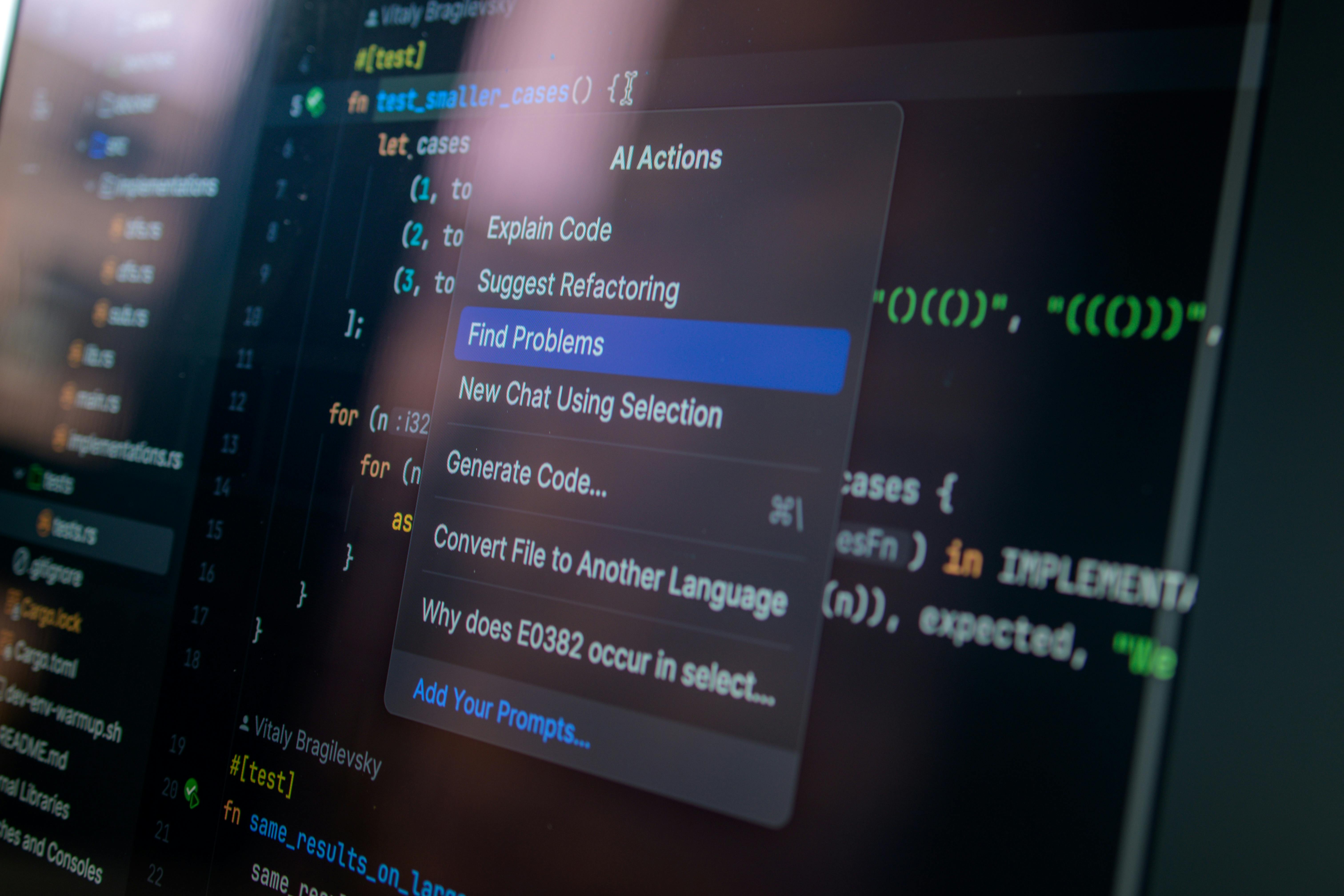
Ubuntu’s local AI push means the operating system is being shaped to support AI features that run on the user’s own computer, workstation, or server. No drama. No magic smoke. The point is to run inference locally, which is the part where a trained model takes input and produces output. This is different from training, which is the expensive part that needs huge compute and lots of data.
Local inference is not new, but it is becoming far more useful. GPU drivers are better, NPUs are showing up in more chips, and model runtimes have gotten lighter. Ubuntu fits here because Linux is already the base for much of the world’s server and developer work. If Canonical makes the stack easier to install, tune, and secure, teams can stop wasting time fighting packaging weirdness and start shipping useful software.
When I worked on large-scale systems, the biggest mistakes were rarely about raw model quality. They were about plumbing. A team had a strong model, then buried it under latency, bad permissions, or a brittle deployment path. I’ve seen that movie too many times. Local inference helps by cutting out a few of those weak links. It also keeps more data under the owner’s control, which matters when the data includes source code, HR records, medical notes, or customer info.
This also lines up with a basic moral rule: people should not hand over more information than needed just to get a shiny answer back. That is not paranoia. That is common sense. Good tools should respect human dignity and the limits of the task.
Most guides say the cloud is always easier. Maybe at first. But once traffic grows, cost and trust get ugly. Ubuntu’s angle is more sober: do the useful thing locally, then use the cloud only when it actually adds value.
Core Benefits and why it matters
Privacy comes first. Local inference keeps sensitive prompts, files, and code on the machine, which reduces exposure to third-party services and accidental logging. That matters a lot when the input contains contracts, patient data, internal tickets, or source code. I’ve reviewed too many systems where people treated cloud APIs like a trash chute. Bad habit.
Latency drops. If the model runs nearby, response times improve. That sounds boring until a developer waits on every autocomplete, or a support agent stares at a spinning wheel while a customer gets angry. Speed is not vanity. It is part of good work.
Costs can be steadier. Cloud AI is often billed by token, request, or usage tier. That works fine in demos. Then real users show up. Local inference can flatten those costs, especially for repeated tasks like summarizing logs, classifying tickets, or drafting code suggestions.
Reliability improves. If the internet blips, the model can still run. That is a plain advantage for edge devices, factories, field teams, and air-gapped environments. I’ve watched organizations lose time because a remote service hiccupped. The machine in front of you should not become a brick because someone else’s datacenter coughed.
Control is tighter. Teams can choose the model version, the runtime, the memory limits, and the logging rules. That is the difference between owning your stack and renting a mystery box. Tools should serve the worker, not bully the worker. There is a dignity in that.
For broader context, check Linux Foundation research and NVIDIA’s docs on efficient inference. Also useful is ONNX Runtime documentation, which explains how models can run across different hardware backends without too much fuss.
Here’s the kicker: local inference is not just for geeks with fancy GPUs. It can help schools, hospitals, factories, and small businesses that need predictable tools. The cloud is useful. Sure. But it should be a choice, not a tax on every task.
Step-by-step implementation guide

If you want Ubuntu to run local AI well, start with the boring stuff. That is where the wins are. People love talking about models. Fine. But hardware, drivers, packaging, and security do the real work.
- Pick the use case. Decide what the model should do: code help, document search, summarization, speech, image tagging, or command suggestions. Do not buy a chain saw because you need a butter knife.
- Choose a model size that fits. Small models are easier to run locally. Large models may need a GPU or NPU. Match the model to the task, not your ego.
- Check hardware support. On Ubuntu, confirm CPU, GPU, or accelerator support first. Read vendor docs. Test the driver path. NVIDIA’s inference guidance is useful here: NVIDIA Docs.
- Set up the runtime. Use an inference stack such as ONNX Runtime, llama.cpp, TensorRT, or another supported engine. Keep the install simple. Fancy scripts break at 2 a.m.
- Lock down data flow. Decide what gets stored, what gets logged, and what leaves the box. Use access controls and encryption. Do not let a helper app quietly hoover up sensitive prompts.
- Test with real inputs. Benchmarks are nice, but real tickets, real code, and real documents expose the ugly bits. I always trust messy data more than polished slides.
- Measure the outcome. Track latency, memory use, answer quality, and failure rate. If the model is fast but wrong, it is just an expensive liar.
- Update with care. New model versions can improve quality, but they can also break behavior. Roll them out slowly. Stability is a feature, not an afterthought.
When I built and reviewed production systems, the teams that won were the ones that treated AI like any other serious component. They tested it, secured it, and watched it closely. The teams that treated it like magic usually got bitten.
If you want a related deep read on system planning, see the Ubuntu blog and also security guidance from CISA. AI features are still software. Software fails in familiar ways.
Do the setup in stages. First get a tiny model running. Then wire in your app. Then add logging, guardrails, and fallback behavior. That slow path is faster in the long run. Funny how that works.
Comparison table
| Feature | Ubuntu Local Inference | Cloud-Hosted AI |
|---|
| Data control | Stays on device or on-prem | Sent to third-party servers |
| Latency | Usually lower | Depends on network |
| Cost model | Hardware plus maintenance | Usage-based, can grow fast |
| Offline use | Possible | Usually weak or impossible |
| Compliance fit | Often better for sensitive data | Harder in restricted settings |
| Best for | Private, repeatable, controlled workloads | Large-scale shared services |
The table is blunt because the tradeoffs are blunt. Local inference gives control and speed. Cloud AI gives convenience and scale. The smart move is not to worship one side. Use both when needed, and keep the hard rules in mind.
For vendor context, see Google Cloud AI services and Microsoft Azure AI if you want to compare how the cloud side is packaging similar features.
Common mistakes to avoid
People make the same mistakes again and again. I’ve made a few myself, which is why I’m annoyed enough to mention them.
First mistake: assuming any model will fit. It will not. A model that runs fine in a demo may fall over once you feed it real traffic, long prompts, or weak hardware. Size matters. Memory matters. Context length matters.
Second mistake: ignoring security. Teams install a model, then forget about permissions, secrets, logs, and update channels. That is reckless. If the model can see the wrong files, it will eventually see the wrong files. Simple as that.
Third mistake: overtrusting benchmarks. Benchmarks are useful, but they are not your users. A model can score well and still give clumsy answers in your app. Real data beats clean charts. Every time.
Fourth mistake: thinking local means free. No. You still pay for hardware, power, support, patching, and staff time. The cloud bill may shrink, but the work does not vanish. Someone still has to care for the system. That is part of the job.
Fifth mistake: skipping fallback paths. When a local model fails, what happens next? If the answer is “nothing,” then the feature is brittle. Good systems degrade gracefully. Bad ones just throw errors and blame the user. I’ve seen enough of that nonsense.
Most advice online sounds too cheerful. “Just plug in an open model and go.” That is cute. It is also how teams end up with slow, leaky, half-working tools. The better approach is disciplined: define limits, test hard, and keep a rollback plan.
For more practical security thinking, review CIS Benchmarks and NIST guidance. In serious systems, trust is built by controls, not slogans.
Frequently Asked Questions
Q1: What is local inference in Ubuntu?
It is when Ubuntu runs an AI model on the local machine or nearby hardware instead of sending prompts to a cloud service. That keeps more data under direct control and can lower latency.
Q2: Is local inference always better than cloud AI?
No. Cloud AI is still better for some large, shared, or bursty workloads. Local inference is better when privacy, speed, offline use, or steady cost matter more.
Q3: What hardware do I need for Ubuntu AI features?
It depends on the model. Some small models run on CPU. Others need a GPU or NPU. Start with the workload, then match the hardware to it.
Q4: Are local AI systems safer?
They can be, but only if you configure them well. Local processing reduces exposure, but bad permissions, weak logging, and sloppy updates can still cause problems.
There is no magic box here. There is just engineering, and the usual need for good judgment.
Final Thought
Ubuntu’s local AI push is not about chasing a trend. It is about making software behave like it should: fast, respectful of data, and useful even when the network is not. That fits what I have learned over years at Google, Microsoft, Amazon, and Zulily. The best systems do not demand blind trust. They earn it.
I remember plenty of moments where a team wanted more cloud, more automation, more sparkle. Usually, what they needed was less noise and better control. Local inference gives that, if you do the work. I like that because it treats computing as a tool, not a stage show. And frankly, the people who depend on these systems deserve better than stage show software.
If you are building with Ubuntu, think like a steward. Use only what you need. Protect the data that belongs to others. Make the machine serve the person, not the other way around. That rule has aged well. It still does.
Ermenildo Valdez Castro, Jr. would call that practical honesty, and I think that fits. The next wave of AI tools will not be judged by how loud they are. They will be judged by whether they work, whether they stay private, and whether they help people do good work without making a mess.