Cursor launches agent-based coding workflows as AI agents grow, and that matters because code editors are no longer just text boxes with pretty colors. They...
Cursor Launches Agent-Based Coding Workflows as AI Agents Grow: What It Means for Developers
Cursor launches agent-based coding workflows as AI agents grow, and that matters because code editors are no longer just text boxes with pretty colors. They are starting to act like teammates. I’m Ermenildo V Castro, and I’ve watched enough software fads to know that the real change is not the hype. It is the shift from typing every line yourself to directing software with clear goals, guardrails, and review.
Key Takeaways- Cursor’s agent-based workflows change the editor from helper to active coding partner.
- AI agents work best when the task is small, scoped, and checked by a human.
- Speed goes up, but so does the need for review, testing, and clean prompts.
- Teams should set rules for security, code quality, and who approves changes.
- The best results come from using agents for boring work, not blind trust.
What is Cursor’s agent-based coding workflow?
Cursor’s agent-based coding workflow is a way to let an AI agent plan, edit, and improve code inside the editor with less hand-holding than older autocomplete tools. Instead of suggesting one line at a time, the agent can take a task, inspect files, propose changes, and keep working across steps. That is the whole point. Less nibbling, more doing.
At a plain level, Cursor sits on top of a codebase and lets the user ask for work like fixing a bug, adding a feature, or cleaning up a function. The agent then reads relevant files, makes changes, and often explains what it touched. That sounds neat. It is neat. But it is not magic, and anyone selling it as magic is peddling smoke.
The practical shift is bigger than the tool itself. For years, editors have helped engineers write faster. Now the editor can act more like a junior assistant that does first drafts, gathers context, and keeps moving until the task is done. That lines up with how Cursor describes its own product direction, and it fits the broader trend described by OpenAI’s agent work and Anthropic’s coding-focused model updates.
I’ve seen this pattern before. When I worked on large engineering teams, the best tools did not replace engineers. They removed the grunt work. They made room for judgment. That matters, because judgment is the expensive part. It always has been.
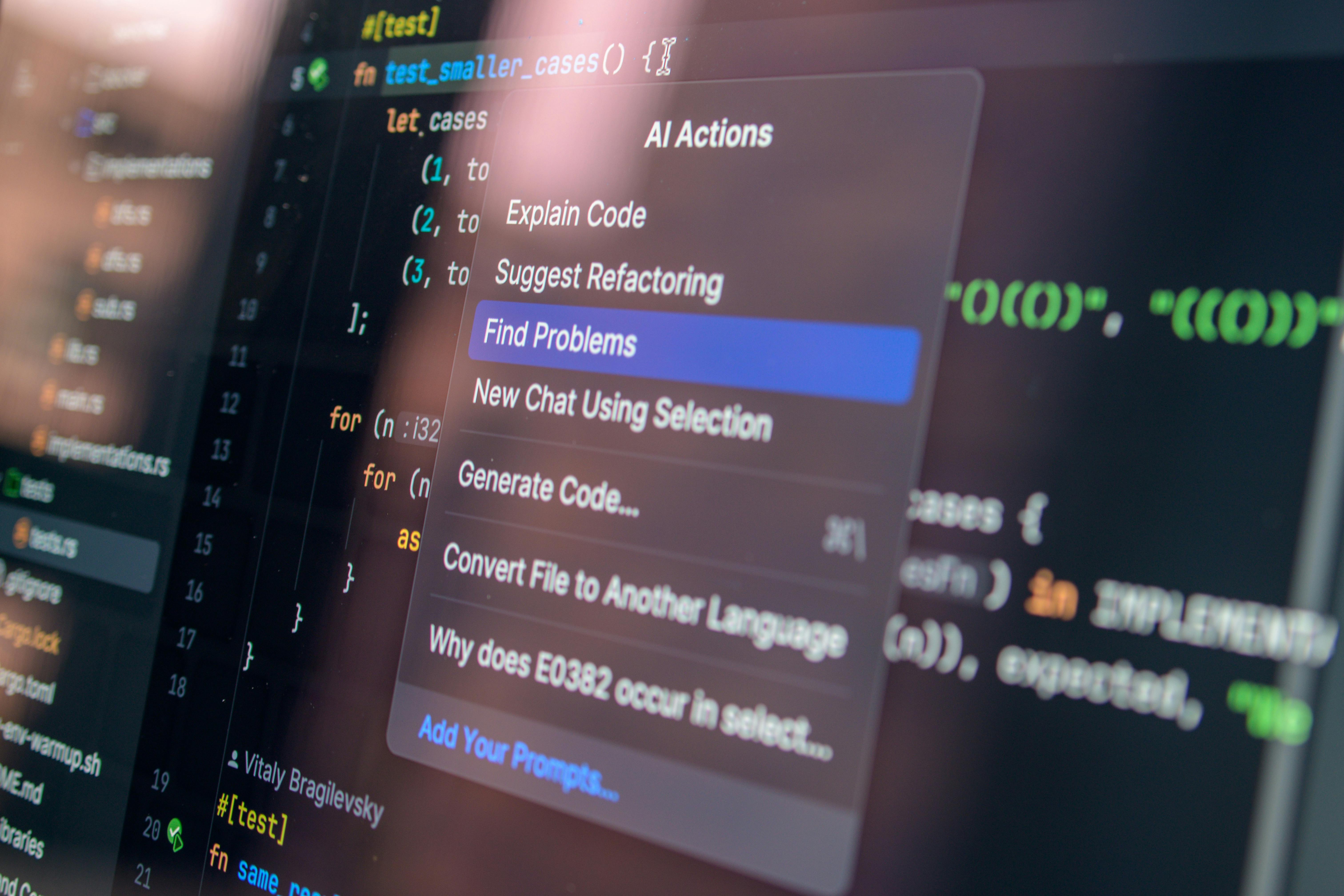
An agent-based workflow also changes the shape of work. The coder becomes a reviewer, guide, and safety net. That is a good thing if the team understands it. It is a bad thing if folks start treating the agent like an oracle. Frankly, I’ve seen teams do worse with less expensive mistakes.
The other useful detail is scope. Older AI tools often stopped at the sentence level. Cursor’s agent mode reaches across files, which means it can update related code, tests, and docs in one pass. That sounds efficient because it is. But the downside is also obvious: the more places a tool touches, the more damage a sloppy prompt can cause.
So yes, Cursor’s agent-based workflow is a real step forward. It is not a miracle. It is a sharper knife. Handle it like one.
Core benefits and why this matters
The main benefit is speed. Not fake speed. Real speed. The kind that cuts down on boilerplate, repetitive edits, and context switching.
- Faster first drafts: The agent can create a rough version of a feature, test stub, or refactor plan in seconds. That saves time on the boring parts.
- Better focus: Engineers spend less time on small edits and more time on architecture, edge cases, and product fit. That is where human brainpower should go.
- More code coverage: A good agent can suggest tests while changing code, which helps prevent the usual “worked on my machine” nonsense.
- Lower entry friction: Junior engineers can explore unfamiliar codebases faster when the tool helps map file relationships.
- Cleaner refactors: The agent can update repeated patterns across files without the usual copy-paste mess.
I’ve used tools like this enough times to know the trap. People see time savings and immediately assume the goal is to ship more junk faster. That is the wrong lesson. Good software work is stewardship. You are trusted with other people’s time, money, and patience. If you ship sloppy code because the robot typed it, you did not save time. You just moved the mess downstream.
Here’s the kicker: the biggest win is not raw coding speed. It is mental load reduction. When an engineer has to hold ten files and four branches in their head, mistakes happen. An agent can act like a scratchpad with hands. That is useful.
There is also a team benefit. I’ve watched teams burn hours on small tasks that had no business eating a full afternoon. The agent eats that work without complaint. And unlike some human coworkers, it does not get dramatic about changing a function name.
Still, the value depends on discipline. A tool that can edit many files can also create a mess quickly. That means the team needs rules. Review every meaningful change. Keep tests close. Use clean prompts. Do not ask for vague miracles like “make this better.” That is how you get expensive chaos.
For a deeper look at how coding tools fit into modern practice, see framework and tooling basics and this guide on AI-assisted coding support. They are not the same product, but the habits overlap.
I also think the dignity of work matters here. Not every job should be erased by automation just because it can be. The point should be better work, not empty work. If an agent clears the drudgery, fine. If it pushes humans out of the loop, that is a bad trade.
Step-by-step guide to using agent-based coding well
The setup is simple. The discipline is not.
- Start with a narrow task
Ask the agent to do one thing, not five. Fix one bug. Update one component. Write one test file. Small scope gives better results, and it makes review possible. - Point it at the right files
Give clear context. Mention the feature area, related modules, and any test files that matter. A blind agent is a clumsy one. - Describe the goal, not the method
Say what you want, then let the agent figure out the path. For example, ask for “a pagination fix that keeps the current API” instead of dictating the exact code. - Ask for tests first when needed
If the change is risky, have the agent draft tests before the code. That keeps the work tied to expected behavior. - Review every file it touches
I mean every file. Do not skim and hope. Hope is not a code review strategy. - Run the test suite
Local tests, CI tests, lint checks, the whole stack. If the agent changed behavior, prove it. - Keep a human approval step
On real teams, no agent should merge its own work. That is just common sense dressed in a clean shirt. - Use it for repeatable work
Great uses include renames, docs updates, small refactors, test generation, and simple bug fixes. Bad uses include high-risk security code, payment logic, or anything with legal weight.
I learned this the hard way on large codebases. The best agent workflow was always the one with guardrails. The worst one was the “let it rip” setup. That usually ends in a cleanup session, a late bug report, and someone muttering about why the diff looks like a raccoon got into the repo.
Let’s be real. AI agents are helpful when the task has rules. They are much worse when the task depends on taste, deep product context, or a tricky tradeoff between speed and safety. They can draft. They can reorganize. They cannot own consequences. That part stays with us.
If you want a practical primer on managing developer work with modern tools, this piece on GitHub Copilot workflows and the Cursor docs are worth a look. Read the docs. I know. Painful. Still worth it.

Comparison table: Cursor agent workflows vs. older autocomplete tools
| Feature | Cursor Agent-Based Workflow | Older Autocomplete Tools |
|---|
| Task size | Handles multi-step work across files | Mostly one-line or one-snippet help |
| Context use | Reads more of the codebase and related files | Limited local context |
| Output style | Plans, edits, explains, revises | Suggests text as you type |
| Best use case | Refactors, fixes, tests, feature drafts | Fast coding, boilerplate, inline completion |
| Human role | Reviewer, guide, approver | Typist with some assistance |
| Risk level | Higher if prompts are vague or broad | Lower, because edits are smaller |
| Speed gain | Higher on repetitive or cross-file work | Higher on local typing speed |
| Quality need | Strong review and test discipline | Still needs review, but change size is smaller |
The table shows the core difference. Cursor’s agent mode is not just faster autocomplete. It is a work partner for bounded tasks. That changes how teams think about code review, task sizing, and editing flow.
It also changes tooling expectations. A team using an agent workflow needs better tests, cleaner issue tickets, and more precise definitions of done. Otherwise the speed gain turns into bug debt. And bug debt, as anyone who has lived through a bad release knows, collects interest like a loan shark.
This is where many vendor demos get slippery. They show a neat change in a tiny sample app, then imply the same result on a 900-file monorepo with flaky tests and three years of weird decisions. Please. Spare me. Real systems are messy. Good tools help, but they do not erase entropy.
The useful mental model is this: older autocomplete tools help you type. Agent workflows help you complete a task. Those are different jobs. If you mix them up, you will either over-trust the agent or under-use it.
For more context on broader AI coding competition, see Anthropic’s Claude 3.5 Sonnet release and OpenAI’s agent announcement. The field is moving fast, but the same rule still applies: the person signing off owns the result.
Common mistakes to avoid
Most advice about AI coding tools is too shiny. It skips the ugly parts.
- Using vague prompts: “Improve this” is not a task. It is a wish. The agent cannot read your mind, and your product manager probably cannot either.
- Letting it change too much at once: Big diffs are hard to review. Small batches are safer. That is true for humans too.
- Skipping tests: If the agent made a change and you did not run tests, you are gambling with a nice interface.
- Trusting generated code blindly: AI output can look polished and still be wrong, insecure, or flat-out silly.
- Ignoring security and privacy: Never feed sensitive data into a tool without checking company policy and vendor controls.
- Using it for every task: Some work is faster by hand. Not everything needs a robot in the loop.
I’ve watched teams make the same mistake over and over. They treat the tool as if the demo equals the reality. It does not. A demo is a stage show. Production is plumbing. One has lighting. The other has leaks.
Another common error is skipping ownership. If no one owns the diff, no one owns the bug. That is not an AI problem. That is a management problem. Good engineering still needs clear responsibility, fair process, and honest review. That part is not optional. It is basic justice, and it respects the people downstream who depend on the software to work.
There is also the moral laziness trap. Some folks think if a machine can draft code, they can stop thinking. Wrong. Tools should reduce toil, not replace care. A careful engineer does not just ask, “Can it be done?” The better question is, “Should it be done this way?” That old habit saves teams from a lot of nonsense.
If you need a grounding reference for secure and responsible software work, this overview from OWASP Top 10 is still useful, and Cursor’s own docs help explain workflow limits and settings. Read both before you let the thing loose on serious code.
Frequently asked questions
Is Cursor’s agent mode better than normal autocomplete?
Yes, for multi-step tasks. No, for tiny edits where simple inline help is enough. Different tool, different job.
Can AI agents write production code safely?
They can help write it, but humans must review it. Tests, code review, and security checks still matter.
What kind of tasks work best with agent-based workflows?
Refactors, test generation, file-wide renames, docs updates, and small feature drafts usually work well.
Should teams change their process for agent tools?
Yes. They should set prompt rules, review steps, test rules, and approval rules. Without that, mistakes spread faster.
I have one more FAQ answer in plain English: if the work is simple and repeatable, the agent can save time. If the work is sensitive, fuzzy, or high stakes, slow down. That is not anti-innovation. That is common sense.
Final thought
Cursor’s move toward agent-based coding is not just a product update. It is a sign that software work is changing shape, and not all of that change is bad. I’m Ernie Castro, and I’ve spent enough years in this trade to know the best tools are the ones that help people do careful work, not careless work.
The best teams will treat agents like helpers with limits. They will keep humans in charge, protect user trust, and remember that code is not just output. It affects people. Their time. Their money. Their safety. That means the work carries moral weight, even if the tool feels light in your hands.
So use the agent. Keep the checks. Keep the tests. Keep your standards. That is the honest path, and honestly, it is the only one worth taking.