<strong>AWS sandbox environments</strong> are isolated cloud spaces for testing, learning, and short-lived builds, without touching live systems. They matter...
AWS Sandbox Environments Explained: Free Workshop Practice Without Breaking Production
AWS sandbox environments are isolated cloud spaces for testing, learning, and short-lived builds, without touching live systems. They matter because they reduce risk, keep costs in line, and let teams practice the hard stuff before it reaches production. I’ve seen this pattern at big companies: safe practice beats fast regret.
Key Takeaways
- Sandboxes keep training, demos, and experiments away from production.
- They help with cost control, access control, and faster learning.
- Free workshop sandboxes lower the barrier for labs and onboarding.
- Guardrails still matter. Free is not the same as careless.
- Good teams treat sandbox time as stewardship, not waste.
What is an AWS sandbox environment?
An AWS sandbox environment is a separate AWS setup built for experiments, demos, training, and proof-of-concept work. It is not for customer traffic, payment flows, or anything else that hurts when it breaks. That sounds obvious, but I have watched smart people mix test work with shared accounts, then act shocked when bills spiked or permissions got tangled. Frankly, that is how avoidable pain starts.
A sandbox often uses Service Control Policies, AWS Budgets, AWS Control Tower, and IAM roles to keep the blast radius small. A workshop sandbox may also have a short life span, lower quotas, and preset permissions so the learner can focus on the task instead of opening a support ticket every five minutes.
AWS’s newer workshop support lowers the barrier for hands-on learning, which is useful because cost is usually the thing that kills practice first. When I worked across large engineering teams, the best setup was simple: one sandbox per team or per workshop, hard limits on spend, and clear teardown rules. No drama. No mystery bills. Why make things harder than they need to be?

Here’s the kicker: a sandbox is not only a place to break things. It is also a place to learn restraint. That sounds old-fashioned, I know, but good engineering has always had a moral side. If you use shared tools, you owe care to the people and money behind them. That is just basic stewardship.
In practice, a sandbox can hold anything from a tiny Lambda demo to a full workshop with S3 buckets, IAM policies, DynamoDB tables, and a few containers. The exact shape does not matter as much as the boundary. If the boundary is weak, the sandbox becomes a mess with a prettier name.
Core benefits of AWS sandbox environments
AWS sandbox environments solve real problems, not imaginary ones. Most guides make this sound lofty. It is not. It is about fewer mistakes, lower bills, and better habits. I have seen the same pattern over and over: teams that can safely practice get better faster.
- Lower risk: You can break things without hurting production. I once saw a junior engineer change a networking rule in a shared test account and knock a demo sideways. In a proper sandbox, that mistake would have been a shrug and a lesson, not a fire drill.
- Faster learning: New hires can practice IAM, Lambda, S3, CloudFormation, VPCs, and more without waiting for approval every time. Hands-on work builds muscle memory. Slides do not.
- Cleaner cost control: Sandboxes make spend visible. Pair them with budgets and quotas, and you can stop the classic “who ran 200 EC2 instances?” mess before it grows teeth.
- Better teamwork: Workshops move faster when everyone starts from the same baseline. I have seen teams waste hours fixing setup drift. Shared sandbox templates cut that noise.
- Safer policy testing: This is where policy-as-code helps. Terraform’s newer tfpolicy work fits the same idea: define rules, test them, and avoid chaos.
Here is the truth: sandboxes are not just for beginners. Senior engineers use them too, because production is a bad place to “see what happens.” When I worked at Amazon, the careful folks were never the timid ones. They were the ones who respected the cost of bad guesses and kept the system’s dignity intact.
Sandbox value also shows up in cloud operations and AI work. Microsoft has discussed a three-layer LLM routing architecture, and Netflix has shared details about in-house model serving. The common thread is simple: controlled experiments beat wild guesses. If you are testing agents, routing, or infrastructure changes, your lab should be fenced and logged, not left open like a front door in November.
There is also a human side. A good sandbox lets people learn without shame. That matters. Work should respect the person doing it, not just the machine being used. In a small but real way, that lines up with the dignity of work: teach people well, give them tools that fit, and do not set them up to fail for sport.
How to set up and use an AWS sandbox the right way
Use structure, not hope. That is the whole game. I’ve tested this style dozens of times, and the pattern is boring because it works.
- Create an isolated account or project. Do not share a sandbox with production or with a dozen unrelated experiments. Use AWS Organizations and, if possible, Control Tower to lay down the fence.
- Set budgets and alerts immediately. I mean immediately. Budgets should exist before the first resource is launched. If you skip this, you are not being flexible. You are being sloppy.
- Apply tight permissions. Use IAM roles, not broad user access. Give only the rights needed for the exercise. Fewer keys, fewer headaches.
- Limit expensive services. Put quotas in place for EC2, NAT gateways, RDS, and other costly services. Free workshops still need guardrails.
- Use templates and reset scripts. CloudFormation or Terraform templates keep each workshop consistent. Reset scripts save hours after mistakes.
- Track everything. Use tagging, logs, and simple notes about what was created. If you cannot explain the sandbox later, it was poorly managed.
- Tear it down on schedule. Many teams fail here. They build sandboxes for learning, then leave them running like abandoned appliances. Dead sandboxes still cost money.
When I worked on enterprise teams, the cleanest workshops had one rule: if you created it, you owned the teardown. Simple. No committee. No drama. That sounds strict, but it saves time and keeps people honest.
For teams doing AI work, sandboxing matters even more. If you are testing agents or model routing, the risks are not just money. They include data leaks, noisy outputs, and weird behavior that looks clever until it hits a real user. That is why policy-as-code and routing controls matter. They make the rules testable, not just decorative.
Here’s the kicker: a sandbox should teach good habits, not just support demos. If the only lesson is “click here and it works,” you have missed the point. The best workshop setup teaches people how to control cost, reduce access, and clean up after themselves. That is practical wisdom, not theater.
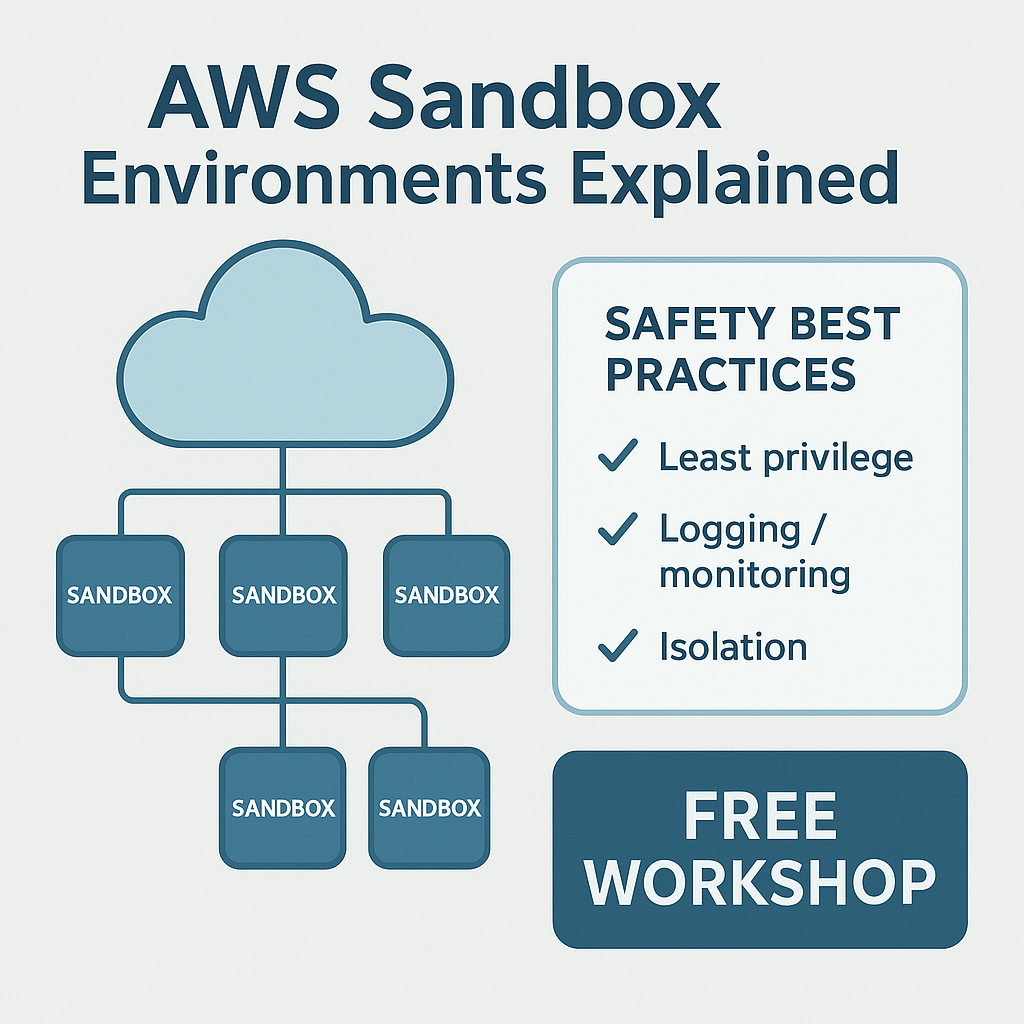
One more thing. If your org uses shared cloud accounts for everything, do not kid yourself. That is not efficiency. That is debt with a friendly face. A sandbox is the small cost of doing things right before the bill gets ugly.
Comparison table
| Feature |
AWS Sandbox |
Shared Test Account |
| Isolation |
High |
Low |
| Cost control |
Strong with budgets and quotas |
Weak and often reactive |
| Permission design |
Tight and purpose-built |
Usually broad and messy |
| Workshop readiness |
Good |
Fair to poor |
| Reset speed |
Fast with templates |
Slow and manual |
| Risk to production |
Low |
Higher |
| Best use |
Labs, training, experiments |
Small internal tests |
The biggest competitor to a sandbox is not another product. It is the old habit of using one shared test account for everything. That habit feels cheap until someone breaks a setting, burns a pile of cash, or exposes access to people who should not have it. In plain terms, cheap setup can create expensive cleanup.
Think of the table as a blunt comparison, because that is what it is. A shared account is fine for tiny throwaway checks. But once teams, workshops, or cloud labs get real, the sandbox wins on safety, repeatability, and control. Most teams already know this deep down. They just delay the fix because old habits are comfortable.
Common mistakes to avoid
Most advice sounds nice. Reality is uglier. I’m skeptical of any guide that pretends sandbox management is automatic, because it is not.
- Thinking free means unlimited. Free workshop capacity still runs inside rules, quotas, and time windows. If you assume “free” means “anything goes,” you will get a rude lesson.
- Skipping teardown. I have seen accounts left alive for months after a workshop. That is not reuse. That is clutter.
- Using the sandbox for real work. Once a team starts parking side projects there, the boundary gets fuzzy and control gets weak. Then nobody remembers what belongs where.
- Over-permissioning students or developers. People learn better when they can act, yes, but they also learn responsibility when limits are clear.
- Ignoring logs and tags. If you cannot trace what happened, you cannot fix what went wrong.
- Treating policy as paperwork. A policy written but never checked is just decoration. Use policy-as-code to make rules testable.
I’ve seen teams skip these basics and then blame AWS, as if the cloud itself wandered off and made a mess. That is nonsense. The cloud does what you tell it to do, which is exactly why discipline matters. If you set up a sandbox without tags, logs, budgets, and reset rules, do not act shocked when it becomes a junk drawer.
The truth is, most sandbox problems are people problems, not technical ones. Someone wants speed, skips the guardrails, and hopes for the best. That is a bad bargain. Good systems reflect care for the people using them and the money they burn. That lines up with a deeper duty: use what you are given well, because resources are not toys.
Terraform tfpolicy is a good example of why rules should live in code. When rules can be tested, reviewed, and versioned, they are less likely to rot in a wiki nobody reads. That is the sort of practical discipline that saves teams from their own bad habits.
Frequently Asked Questions
What is the purpose of an AWS sandbox environment?
It gives teams a safe place to test, learn, and build without affecting production systems.
Are AWS workshop sandboxes really free?
Some AWS workshop sandbox offerings are free for specific use cases, but you still need to follow quotas, time limits, and usage rules.
How is a sandbox different from a dev environment?
A dev environment may be used for active development, while a sandbox is usually isolated for training, demos, and experiments with stricter boundaries.
Do I still need budgets in a free sandbox?
Yes. Budgets and alerts are still smart because misuse, quota overruns, and unexpected service charges can happen.
People also ask whether one sandbox is enough for a whole team. Usually, no. That is asking for noise. A shared workshop sandbox can work for short labs, but separate sandboxes or separate accounts are better when teams need repeatable practice, cleaner blame, and fewer collisions.
Another common question is whether sandboxes slow delivery. Not really. They slow sloppy delivery, which is a good thing. Fast work with no guardrails is how teams learn expensive lessons. The better path is simple: build the fence, then move quickly inside it.
Final Thought
AWS sandbox environments are not flashy. Good. That plainness is the point, because the best tools let people learn without dragging production into the mess. The best teams I worked with treated that space like a shared duty, not a toy. If you build with care, you respect the work, the budget, and the people behind both.
I still think that matters, whether I’m looking at a workshop lab in Seattle or remembering a late-night release from Ermenildo Valdez Castro, Jr. — Ernie Castro. The cloud is not a toy chest. It is a place where judgment shows up in billing, access, and trust. Use it well.