AI databases store, organize, and serve the data that machine learning systems need to train, search, and answer questions fast. They are not magic. They are...
AI databases store, organize, and serve the data that machine learning systems need to train, search, and answer questions fast. They are not magic. They are storage engines, indexes, caches, and retrieval layers stitched together so models can find the right facts without chewing through a swamp of junk. I’m Ermenildo V Castro, and after years of watching teams at big companies trip over their own data pipes, I can tell you this: the database is usually where the real work begins.
Key Takeaways- AI databases help models retrieve, store, and process data at speed.
- The best systems balance latency, cost, accuracy, and governance.
- Most failures come from bad data, weak indexing, and sloppy access control.
- Start with the use case, not the shiny tool.
- Treat data like a duty, not a dump pile. That’s the grown-up move.
What is an AI Database?
An AI database is a database designed to support AI workloads. Plain enough. It can store raw data, vectors, embeddings, documents, logs, feature tables, and metadata, then return results fast enough for search, retrieval, recommendations, chat systems, and analytics. Some people use the phrase loosely, and that is where the confusion starts. Not every database with a marketing slide is built for AI. Frankly, a lot of vendors slap “AI” on the box and hope nobody asks hard questions.
The core idea is simple. AI systems need more than rows and columns, because models often work with text, images, audio, and similarity search. That means you may need a relational database, a vector database, a graph store, or a hybrid setup, depending on the job. If you want a deeper primer on how these pieces fit together, Microsoft’s overview of vector search in Azure is a solid place to start: source. For the basics of database indexing and retrieval, PostgreSQL docs are still worth your time: source.
I’ve seen teams at Google build systems where the model looked brilliant in a demo, then fell flat because the data layer was slow, stale, or badly shaped. You want the ugly truth? The model is only as useful as the facts it can reach. That is not poetry. That is plumbing.
At AWS, I watched engineers spend weeks tuning inference code, only to find the biggest gain came from better data partitioning and smaller retrieval sets. Same story at Microsoft. Same story at Zulily. The technology changes, but human habits do not. People rush to the fancy thing and skip the boring structure that keeps it honest. And in a world where work should serve people, not exploit them, data systems need stewardship, not just speed.
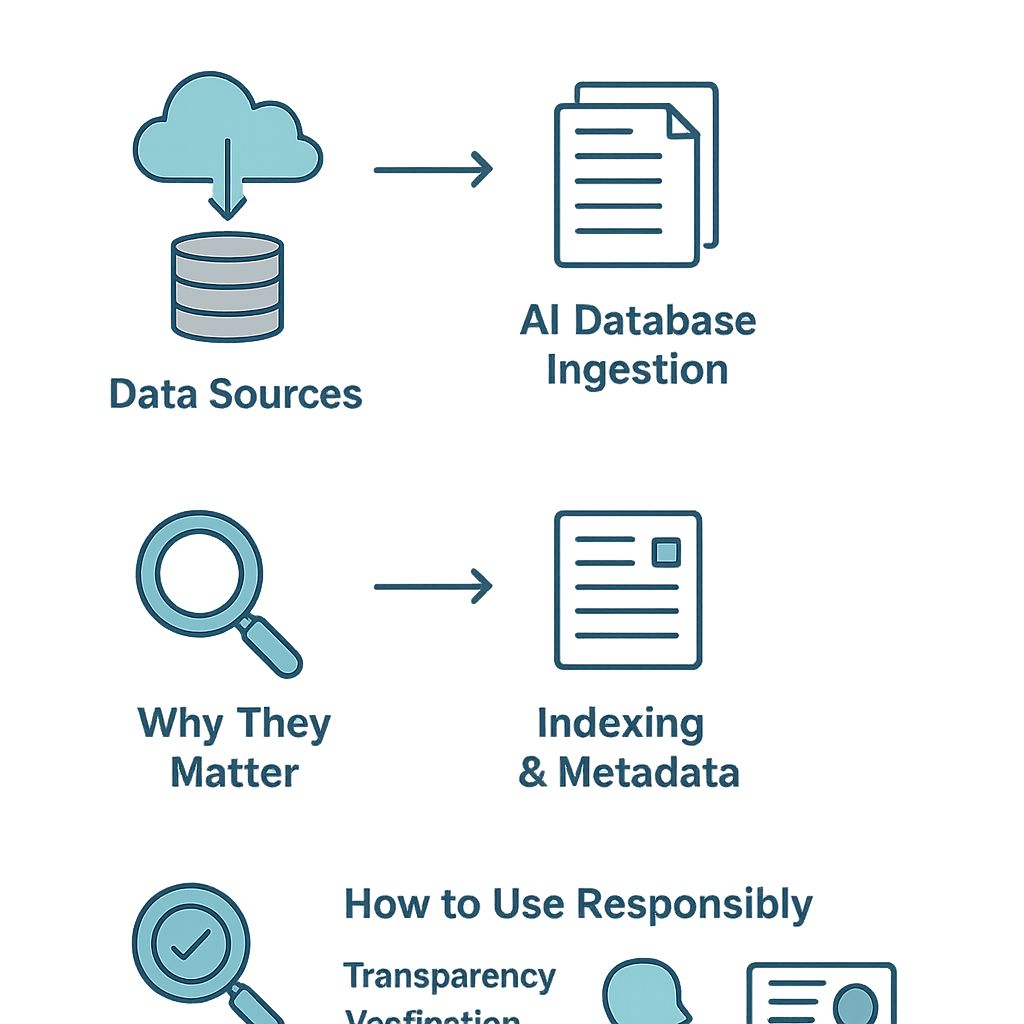
An AI database is often part of a larger stack. You might see:
- Operational databases for live app data
- Vector databases for semantic search and retrieval
- Feature stores for training and serving model inputs
- Data warehouses for reporting and analysis
- Object storage for files, embeddings, and archives
The key is not to collect tools like baseball cards. The key is to know which one does the job. If you need a practical look at search architecture, Elastic’s vector database and search guidance is useful: source. If your team is trying to understand managed data platforms, Google Cloud’s AlloyDB and AI search materials are worth a read: source.
Core Benefits of AI Databases
AI databases matter because they make AI useful in the real world. That is the whole ballgame. A model sitting on a laptop with no data access is just a parlor trick. A model backed by a solid database can answer, recommend, detect, and summarize with far less nonsense.
Here’s what they do well.
- Faster retrieval. AI systems need quick access to relevant facts, and databases cut the wait time.
- Better search quality. Vector search finds similar meaning, not just matching words.
- Cleaner operations. A well-run database gives structure, lineage, and access rules.
- Lower cost over time. Good indexing and caching reduce wasted compute.
- Safer governance. Access controls and audit logs help protect sensitive data.
- More stable products. When data is predictable, the app breaks less often.
I learned this the hard way. At Microsoft, I worked on systems where a tiny data mistake rippled across services, then showed up as a customer complaint three layers later. That is the kind of mess that teaches humility. It also teaches you to respect the people who keep databases tidy, because they save everyone else from public embarrassment.
The best AI systems are not built by worshiping the model. They are built by respecting the chain of responsibility. Data enters. It gets cleaned. It gets indexed. It gets retrieved. It gets checked. That order matters. If you skip it, you get confident nonsense, and nobody needs more of that.
Another benefit is flexibility. A hybrid design can mix structured and unstructured data, which is handy when your product needs both billing records and text embeddings. That matters in finance, commerce, support, healthcare, and search. It also matters for the common good, because good systems reduce waste and make services fairer. A sloppy system tends to punish the user who can least afford the hit.
There’s also a practical career lesson here. Teams that understand data infrastructure tend to ship better products and get fewer fire drills. That may not sound glamorous, but it pays the bills. If you want a related view on engineering discipline, see this internal guide on scalable systems best practices. If you’re choosing tools, this review of vector databases for enterprise search is also helpful. And if you care about the business side, the article on why data quality drives AI success ties the whole thing together.

The point is simple. AI databases reduce friction. They keep models from wandering around in the dark. They help teams build systems that are quicker, safer, and more useful.
Step-by-Step Guide to Building an AI Database Stack
Start with the problem. Not the tool. Not the vendor pitch. The problem.
A lot of teams do this backward. They buy a vector database because a demo looked slick, then spend the next month trying to force-fit a use case that never needed one. That is expensive theater. I’ve seen it too many times, and it usually ends with a quiet rollback and a lot of awkward meetings.
Use this sequence instead.
- Define the use case clearly.
Decide whether you need semantic search, recommendations, chat retrieval, fraud detection, or analytics. Each one has different data needs.
- Classify your data.
Split data into structured tables, documents, embeddings, logs, and files. If you don’t know what you have, you can’t store it well.
- Choose the right storage layer.
Use relational databases for transactions, vector stores for similarity search, and warehouses for reporting. Hybrids are common.
- Design your indexing strategy.
Index by the fields that matter. In vector search, that means embedding quality, chunk size, metadata, and filtering rules.
- Set governance early.
Add access controls, retention rules, and audit logs before the system goes live. Waiting until after launch is how people get hurt.
- Plan for freshness.
Decide how often data updates. Old data in an AI system can be worse than no data at all.
- Test retrieval quality.
Measure recall, precision, latency, and cost. If answers are wrong, fast is just a faster mistake.
- Monitor in production.
Track failures, drift, slow queries, and bad results. Real life is where theory gets mugged.
When I was at Google, the teams that won were not the ones with the prettiest slide deck. They were the ones who measured the ugly parts: latency spikes, stale joins, bad shard placement, and bad data shapes. That stuff is unglamorous, but it is where the money goes. And yes, the same truth still holds in Seattle, where every startup thinks it invented gravity.
If you are building retrieval-augmented generation, or RAG, the flow is usually: user question, search in database, fetch relevant chunks, pass context to the model, then generate an answer. That simple loop depends on a lot of careful work. Google Cloud’s explanation of vector databases and retrieval is useful context: source. Pinecone’s docs also explain the basics of semantic search in plain language: source.
The hard part is not writing code. The hard part is choosing boundaries. How big should a chunk be? How fresh must the data be? Who can change it? Which fields are safe to expose? These are not side questions. These are the questions.
A decent rule: if the data affects people, treat it carefully. That sounds obvious, but obvious things are where teams act foolishly. Build for dignity. Build for accountability. Build for the user who just wants the answer and does not care about your architecture diagram.
AI Databases vs Traditional Databases
A traditional database is built mainly for structured records, transactions, and predictable queries. An AI database stack is built for retrieval, similarity, mixed content, and model support. That sounds neat on paper. In practice, the two often live together.
Here’s the kicker. People keep asking which one is better, as if it were a football match. That question is usually wrong.
| Feature | AI Database Stack | Traditional Database |
|---|
| Main job | Retrieval for models, semantic search, mixed data | Transactions, structured records, reporting |
| Query style | Similarity search, filters, metadata lookup | SQL queries, joins, aggregates |
| Data types | Text, embeddings, images, logs, metadata | Rows, tables, relations |
| Strength | Fast context for AI apps | Strong consistency and mature transactions |
| Weakness | Can get expensive and messy if poorly designed | Not ideal for semantic similarity alone |
| Best use | RAG, recommendations, assistants, search | Billing, inventory, accounting, CRUD apps |
| Typical tools | Vector DBs, graph DBs, hybrids | PostgreSQL, MySQL, SQL Server, Oracle |
If you want the old-school truth, relational databases still rule a huge amount of production work. They are sturdy. They are boring. That is a compliment. For financial records, orders, and anything that must be right every time, boring is beautiful.
But AI apps need more. They need meaning, context, and quick retrieval across messy data. That is where vector search and hybrid architectures earn their keep. MongoDB’s overview of vector search is one example of how document stores have moved in this direction: source. SQL Server also has growing support for AI-related search and analytics patterns, and Microsoft documents it well: source.
In real teams, the answer is often both. Use the relational database for source-of-truth data. Use the AI retrieval layer for context and similarity. Tie them together with clean pipelines. Do not force one tool to pretend it is the whole stack. That is how people end up with fragile systems and weekend outages.
The comparison also matters for cost. Traditional databases are usually easier to reason about. AI layers can get pricey if you store too many embeddings, refresh too often, or run sloppy queries. Cost discipline is part of stewardship. Waste is not a virtue just because it is hidden in cloud billing.
Common Mistakes to Avoid
Most mistakes with AI databases are boring. That is the bad news. The good news is they are fixable.
The first mistake is choosing the tool before the workload. People see “vector database” and start spending. Then they realize they needed a normal search index and a cleaner schema. Oops.
The second mistake is bad chunking. If you split documents too small, the model loses context. Too large, and retrieval gets noisy. There is no magic number. You must test.
The third mistake is weak metadata. A vector is not enough. You need source, date, owner, category, and access level. Without that, filters get sloppy and results drift.
The fourth mistake is ignoring freshness. AI answers can age badly. If your database feeds a support bot, stale policies will make the bot sound smart while saying the wrong thing. That is not clever. That is trouble.
The fifth mistake is overtrusting the model. I keep hearing teams say the model will “figure it out.” Sometimes it does. Often it hallucinates with confidence. That is why retrieval checks matter. If the source is wrong, the answer will be wrong. Simple as that.
The sixth mistake is skipping security. Sensitive data does not belong in every index, every test set, or every log file. Use least privilege. Use redaction. Use retention rules. The dignity of users is not a side issue.
The seventh mistake is no monitoring. If you do not watch latency, miss rates, and query patterns, you will not know when the system gets weird. And it will get weird. Systems always do.
I remember a project where the team celebrated a smooth launch, then discovered a silent data sync bug two weeks later. The model was fine. The data feed was not. That is the kind of failure that teaches humility faster than any training class. It also reminds me why good work should be honest work. You serve people better when you resist shortcuts.
If you want help with the operational side, this internal piece on how to test AI data pipelines is a good companion. For governance, see data stewardship in engineering teams. For product teams, the article on RAG architecture explained clears up a lot of confusion.
Frequently Asked Questions
What is the difference between a vector database and a regular database?
A vector database is built to find similar meaning in embeddings, while a regular database is mainly built for rows, joins, and transactions. You usually need both in a real AI system.
Do all AI applications need a vector database?
No. Some apps only need a normal database, search index, or warehouse. If your use case is simple, do not buy extra machinery just because it sounds modern.
How do I know if my AI database is working well?
Check retrieval quality, latency, freshness, cost, and security. If the answers are wrong or slow, the system is not doing its job.
What is the biggest risk in AI data systems?
Bad data. That includes stale data, poor metadata, weak access controls, and sloppy indexing. The model gets blamed, but the root cause is usually the database layer.
Final Thought
AI databases are not about hype. They are about trust.
That sounds plain, and it should. The best systems I have seen were built by people who respected the work, respected the user, and respected the facts. I’m Ernie Castro, and after years in the trenches, I can tell you this: the database layer is where you prove whether your AI system is useful or just loud. If you build it with care, you get speed, safety, and better answers. If you cut corners, you get expensive confusion.
The old lesson still stands. Good tools matter, but good judgment matters more. Use the right data structure. Guard the data. Measure the results. Serve the common good, not just the demo. That is the part a lot of folks miss, and it is the part that lasts.