AI coding hallucinations are confident-looking but false outputs—such as invented package names, incorrect APIs, or unsafe security patterns—generated by a...
AI Coding Hallucinations: How to Catch Fake Packages and Unsafe Code
AI coding hallucinations are confident-looking but false outputs—such as invented package names, incorrect APIs, or unsafe security patterns—generated by a model. They matter because developers may copy them into code, install dependencies, or trust authentication logic before anyone checks whether the suggestion exists or meets current security guidance.
I’m Ermenildo Castro, and after years working on software teams, I’ve learned that polished code can make a weak idea look stronger than it is. AI assistants make that old review problem faster and more frequent. The right response is not to ban useful tools or trust every answer. It is to check the parts that can cause real harm: dependencies, authentication, permissions, cryptography, and build steps.
That distinction matters. A made-up package in a chat window is a nuisance; the same package installed in a CI job may run code with access to build credentials. This article explains how these errors happen, how attackers can exploit them, and how to add checks without turning every coding task into a paperwork exercise.
What Are AI Hallucinations in Coding?
An AI coding hallucination is a plausible but false answer produced by a generative model. Language models predict likely next pieces of text from patterns learned during training. They do not automatically know whether a package is real, whether an API still exists, or whether a security recommendation is current. When the model lacks a reliable pattern, it can fill the gap with something that looks right.
That answer may be a fabricated library, a real library with an invented function, an incorrect explanation of an API, or a security design that leaves a system exposed. The model can also combine true details in a way that produces a false conclusion. These errors are not always obvious nonsense. Often they look neat, fit the project’s style, and arrive with a confident explanation.
Code can hide the problem better than ordinary prose. Package names follow naming conventions. A made-up function can resemble the surrounding SDK. The code may even compile if a different function happens to have the same shape or if the risky path is not exercised by the tests. Passing a build is evidence that the compiler accepted the code, not proof that the behavior is safe.
I have seen a generated helper look convincing in review because its name matched the project’s existing patterns. The useful check was not another glance at the code; it was opening the maintained documentation and confirming that the function existed and behaved as claimed. That small step changed the review from guesswork into verification. Frankly, confident prose is not a substitute for evidence.
It helps to separate a hallucination from a deliberate attack. The model may invent a dependency without anyone directing it to do so. An attacker can then register that name on a public package registry and wait for a developer to install it. The original error was accidental; exploiting it is not. Teams need controls for both stages.
Why AI Hallucination Risks Matter
AI assistants can help developers move faster, explain unfamiliar code, and draft routine tests. Those benefits are real. The risk is that speed can make a suggestion feel settled before anyone has checked its source, its security properties, or its effect on the wider system.
The most visible example is the fabricated dependency. A study examining package suggestions from 16 code-generating models reported that roughly one in five recommended dependencies in its test set did not exist, and counted more than 205,000 unique fabricated package names across the tested outputs. That is a result from a particular research setup, not a universal rate for every tool or prompt. Still, the findings show that fake names are not merely a theoretical corner case. See the researchers’ paper, We Have a Package for You!
The attack pattern is called slopsquatting. Someone monitors or predicts package names that a model tends to invent, registers one of those names on npm, PyPI, or another registry, and waits for a developer or automated agent to install it. Installation can run package scripts or expose the build process to malicious code, depending on the ecosystem and configuration. If the job has secrets, write access, or broad network access, the impact can spread beyond one developer’s laptop.
Repeated suggestions make the risk more durable. If a model returns the same invented name across prompts, a malicious registrant may keep catching installations long after the first recommendation. That is different from a one-off typo that disappears after correction.
Security advice can be wrong in quieter ways. A generated authentication flow may lean on weak recovery or outdated assumptions. A cloud policy may grant broad permissions no task requires. A cryptography example may use an obsolete option or omit important key handling. The OWASP project tracks misinformation as a risk in large language model applications and recommends that teams verify important model claims rather than accept them on confidence alone. The OWASP LLM application risks are a useful starting point.
There is a human cost too. Software decisions affect customers, coworkers, and people whose data may be stored in a service. Secure defaults are a form of stewardship: they respect the privacy and dignity of people who never get a vote in a code review. Here’s the kicker: the answer can be useful and still need a serious check.
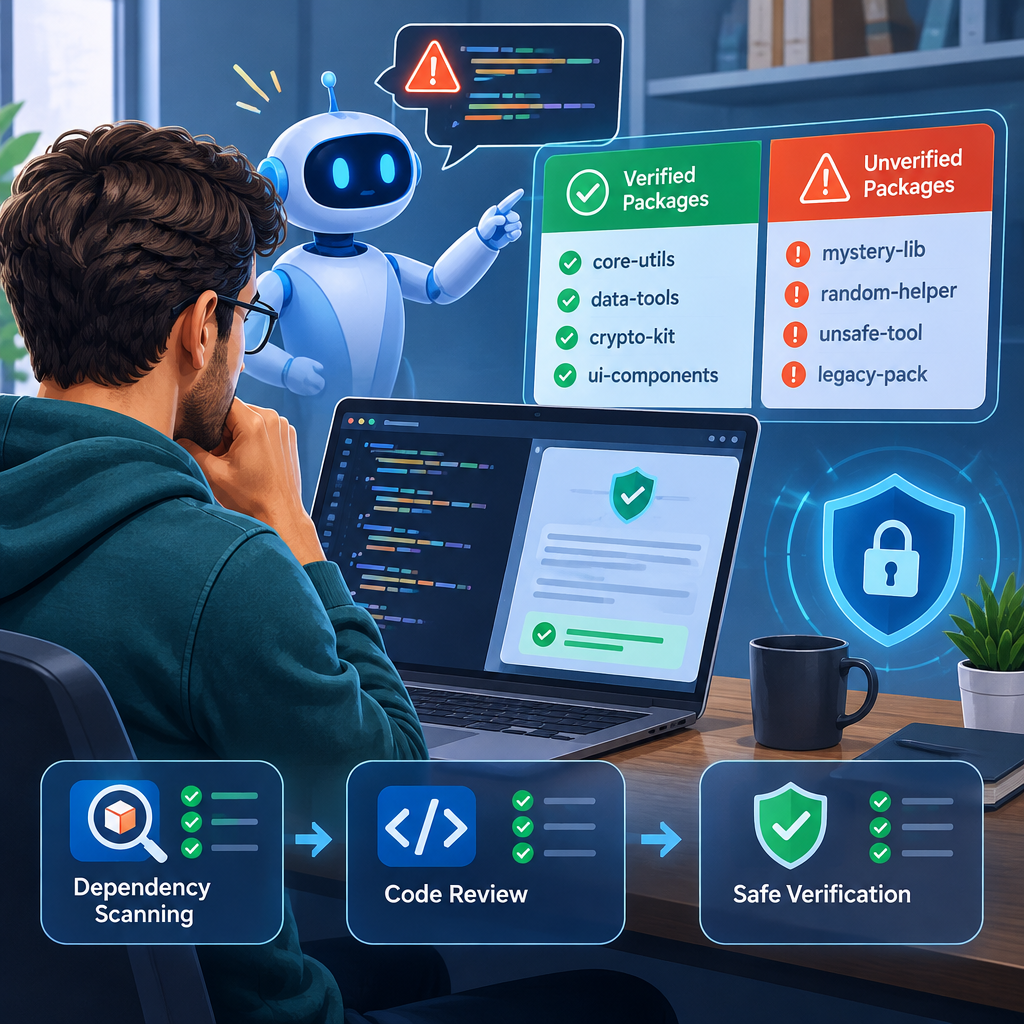
A Step-by-Step Guide to Safer AI-Assisted Coding
A good process does not require a security specialist to inspect every line. It gives the riskiest changes a clear route through verification, with routine checks handled by tools where possible.
- Classify the suggestion before accepting it. Is it a comment, a test helper, a new dependency, an authentication change, or a permission policy? The cost of an error differs sharply. I treat code that touches secrets, identity, payments, user data, or production access as high risk. A generated string-formatting helper can receive a lighter review than a new login flow.
- Verify names and APIs in primary documentation. Search the package registry and the library’s official documentation. Confirm the exact package name, supported version, function signature, and behavior. Do not rely on a search snippet, an AI answer, or a blog post that merely repeats the same claim. If the library is private, confirm it exists in the organization’s approved registry and that its ownership is expected.
- Control which dependencies can enter the project. Use an allowlist or approved registry policy where it fits the team’s needs. Review new dependencies before installation, and check for lookalike names, abandoned projects, unexpected maintainers, and suspicious release history. A package’s existence is only a first check; it does not prove that the package is safe. Account for scoped packages, private registries, mirrors, and internal naming rules to avoid blocking legitimate work by mistake.
- Pin and review the resolved dependency. Commit the relevant lockfile and inspect what the package manager actually selected. Use version constraints that fit the project’s release policy, and verify integrity information when the ecosystem provides it. Run software composition analysis and check advisories, but remember that a scanner cannot guarantee a package is trustworthy or detect every harmful behavior. Make sure CI uses the same locked dependency set as local development.
- Review security-sensitive behavior against current guidance. For authentication, examine the threat model, account recovery, session handling, and resistance to phishing—not just whether a login test passes. NIST’s digital identity guidance describes requirements and considerations for authenticators; the FIDO Alliance explains how passkeys use public-key cryptography. Passkeys can reduce exposure to phishing and reused passwords, but teams still need sound recovery and account-management rules. For cloud access, start with the smallest permissions the service needs.
- Run generated code in a constrained environment. A build job should not receive credentials it does not need. Limit network access where practical, separate build and deployment privileges, and restrict package install scripts if the ecosystem and workflow allow it. Keep secrets out of prompts and logs. If a malicious package does run, least privilege and isolation can keep one bad install from becoming a wider incident.
- Measure results and improve the checks. Track new dependencies, rejected package names, security review findings, and recurring hallucinations. Add examples of confirmed bad suggestions to tests for internal coding tools. If an assistant is grounded with retrieval-augmented generation, give it maintained documentation and trusted registries to consult—but still verify its answer. Grounding can reduce errors; it cannot guarantee correctness. NIST’s Generative AI Risk Management Profile offers broader guidance for identifying and managing generative AI risks.
I have found that the best guardrails are boring and automatic: a dependency check in the pull request, a lockfile diff reviewers can understand, and a CI identity with limited access. The point is not to slow every developer down. It is to make the dangerous path harder to take by accident.
Slopsquatting vs. Traditional Typosquatting
Both slopsquatting and typosquatting aim to get a developer to install a package they did not mean to trust. The difference is where the wrong name comes from. In typosquatting, an attacker registers a name that resembles a legitimate package, hoping a person mistypes it. In slopsquatting, the name can originate from a model’s fabricated suggestion, so a developer may type it exactly as shown and still believe it is correct.
| Feature | AI package hallucination and slopsquatting | Traditional typosquatting |
|---|
| How the wrong name appears | A model invents a plausible package name, which an attacker may register | A user mistypes a real package name or selects a lookalike |
| Main point of failure | Trust in generated recommendations | Typing mistakes or confusion between similar names |
| Attacker’s setup | Identify recurring fabricated names, then register one | Register a spelling variant or visually similar name |
| Why it can persist | The same model may repeat the same invented name | Users may continue making the same typo or mistake |
| Useful checks | Registry verification, allowlists, lockfile review, and package approval | Registry verification, typo detection, and package approval |
| What the checks cannot prove | That an existing package is benign or well maintained | That a similar-looking package is benign or well maintained |
The study described earlier reported a large pool of fabricated names in its test set, but that result should not be read as a prediction that one in five real-world installs is malicious. A hallucinated name is not automatically an attack, and an attacker still needs to register the name and attract an installation. It is a warning about an exploitable handoff between generated text and package installation.
The practical lesson is familiar: verify a dependency before trusting it. What changes is the source of the bad name and the volume of suggestions arriving at once. Conventional typo checks still help, but they do not catch a plausible package that a model invented from scratch. Here's what nobody tells you: “it looks like a normal library” is not a useful trust signal for either attack.
Common Mistakes to Avoid
Mistake 1: Treating confident output as verified output. A model can explain a false answer in tidy steps. Readability and confidence do not establish that a function exists or a security claim is accurate. Ask for the source, then check that source yourself. If the tool cannot supply a credible reference, treat the claim as unverified rather than filling the gap with trust.
Mistake 2: Assuming a successful build means safe code. A compiler checks syntax and types within its rules. Tests check the cases they cover. Neither proves that a new dependency is legitimate, that a permission policy is narrow, or that an authentication flow resists phishing. A code path can compile and remain untested; a test can pass while checking the wrong behavior. Review the change against its purpose and threat model.
Mistake 3: Checking only whether a package exists. Attackers can register a fabricated name, making a registry lookup appear successful. Check the project’s maintainer, release history, documentation, source repository, expected ownership, and relationship to the intended library. Use an approved registry and dependency policy. Existing does not mean safe, just as familiar does not mean current.
Mistake 4: Asking the same model to validate its own answer. A second prompt can help spot inconsistencies, but it is not an independent security review. The same system may repeat the same false assumption with even smoother wording. Use authoritative documentation, static analysis, tests designed around security properties, and review from someone who understands the system.
Mistake 5: Relying on a human reviewer to notice everything. Reviewers have limited time and may trust familiar-looking code. AI can produce far more suggestions than a person can inspect closely, especially when each suggestion seems small. Move routine controls into automation: package checks, secret scanning, lockfile review, and permissions checks. Reserve human attention for design choices and unusual behavior.
Mistake 6: Believing retrieval or a policy prompt solves the problem. Retrieval-augmented generation can provide useful, current material from trusted documents. It can still retrieve the wrong page, misunderstand a correct one, or produce an unsupported claim. Prompts can set boundaries, but they cannot force every answer to be right. Keep verification in the workflow; do not replace it with a promise about how the model was configured.
I am skeptical of advice that says simply to “use AI responsibly” without naming a control. Responsibility needs an owner, a check, and a place in the build process. Start with the change that could cause the greatest harm, then add a small, testable guardrail. That beats a long policy nobody follows.

Frequently Asked Questions
What is an AI hallucination in coding?
It is a plausible but inaccurate output from an AI model, such as a nonexistent package, an invented function, or incorrect security guidance. It can look well formed and may even compile. The practical test is verification: check the API in maintained documentation, confirm dependencies in the appropriate registry, and review security-sensitive behavior against current guidance. A model’s confident explanation is not proof that its answer is true.
How can a team detect AI-generated fake packages?
Check every new dependency against the right package registry and the project’s approved sources. Review the exact name, ownership, release history, documentation, and lockfile entry. Automated checks can reject unapproved packages or flag names that have not been reviewed. Remember that a package may exist because an attacker registered it, so existence alone does not establish trust. Apply extra scrutiny to dependencies suggested by a model.
Is AI-generated code safe to use?
It can be useful, but it should be treated like a draft, not an approval. Verify the APIs and dependencies, run tests, and use security review for authentication, cryptography, permissions, and data handling. Keep build privileges limited so a bad suggestion cannot easily reach secrets or production systems. The amount of review should match the risk of the code, not how polished the answer appears.
Does retrieval-augmented generation prevent hallucinations?
No. Retrieval can ground a model in trusted documentation and lower the chance that it relies on incomplete training patterns. But the model can retrieve irrelevant material, misread a source, or add claims the source does not support. Use retrieval as one layer, then check important output against the cited documentation and automated controls. It improves the evidence available to the model; it does not make verification optional.
Final Thought
AI assistants are useful because they produce code quickly. That same speed can flood a team with plausible suggestions before a reviewer has time to ask basic questions. The answer is not to distrust every line or to grant every output a free pass. It is to separate low-risk help from changes that can affect accounts, customer data, infrastructure, or the software supply chain.
I’ve seen good engineering depend less on grand rules than on steady habits: read the docs, check the dependency, keep permissions narrow, and test the behavior that matters. Put those habits into automation where you can. Give reviewers enough context to challenge a suggestion instead of merely approving its shape. When a tool saves time, spend some of that time checking the parts that carry risk.
A model can draft. People remain accountable for what ships. That is not a reason to reject the tool; it is a reason to build a process worthy of the trust customers place in the software. Keep the useful speed, and make sure the pipeline asks for evidence before it grants authority.