AI coding hallucinations are confident-looking code suggestions that contain invented facts, nonexistent packages, or unsafe patterns. They matter because a suggestion can move from a chat window to a build pipeline in seconds, where package installation and security logic may run with real credentials. Treat generated code as untrusted until checks prove otherwise.
I’m Ernie Castro, and after years building software with large engineering teams, I’ve learned that polished code can still carry a bad assumption. AI assistants make that old problem arrive faster and in greater volume. The useful response is not to ban every assistant or blindly trust every suggestion. It is to give the tools clear boundaries, then make the important checks part of the pipeline.
What Are AI Coding Hallucinations?
An AI coding hallucination is a generated claim or code suggestion that looks plausible but is false, unsupported, or unsafe. A model may invent a library, claim an API has a function it does not have, or write security logic that leaves a real weakness. The word hallucination describes the output, not a human-like experience inside the machine.
Most language models predict likely pieces of text based on patterns learned from large collections of data. When a prompt asks about an unfamiliar library or a missing detail, the model may still produce a complete answer. It can join familiar names and coding patterns into something that looks real. There is no built-in guarantee that every method name, version, or security claim has been checked against current documentation.
That fluency is the trap. A fabricated package name can follow the naming rules of npm or PyPI. An invented method can look like its neighbors in an SDK. The code may even compile if the false detail is not exercised, or if a different package happens to expose a similar function. A green build proves only that some checks passed; it does not prove that the code is safe or that a dependency is the one the developer intended.
This issue is not limited to code completion. It can show up in chat-based programming help, automated pull requests, test generation, infrastructure templates, database queries, and documentation. It also does not mean every generated answer is wrong. The practical point is narrower: a plausible answer is not evidence. Verify facts that could affect production, privacy, money, or access.
The supply-chain example makes the risk easy to see. A study of 16 code-generating models reported that roughly one in five recommended package names in its tests referred to packages that did not exist. The researchers identified more than 205,000 distinct fabricated package names across the study’s outputs. Those numbers describe that study’s test conditions, not every coding tool or every prompt. Still, the finding is a good reason to check names before installing them. See the researchers’ analysis of package hallucinations.
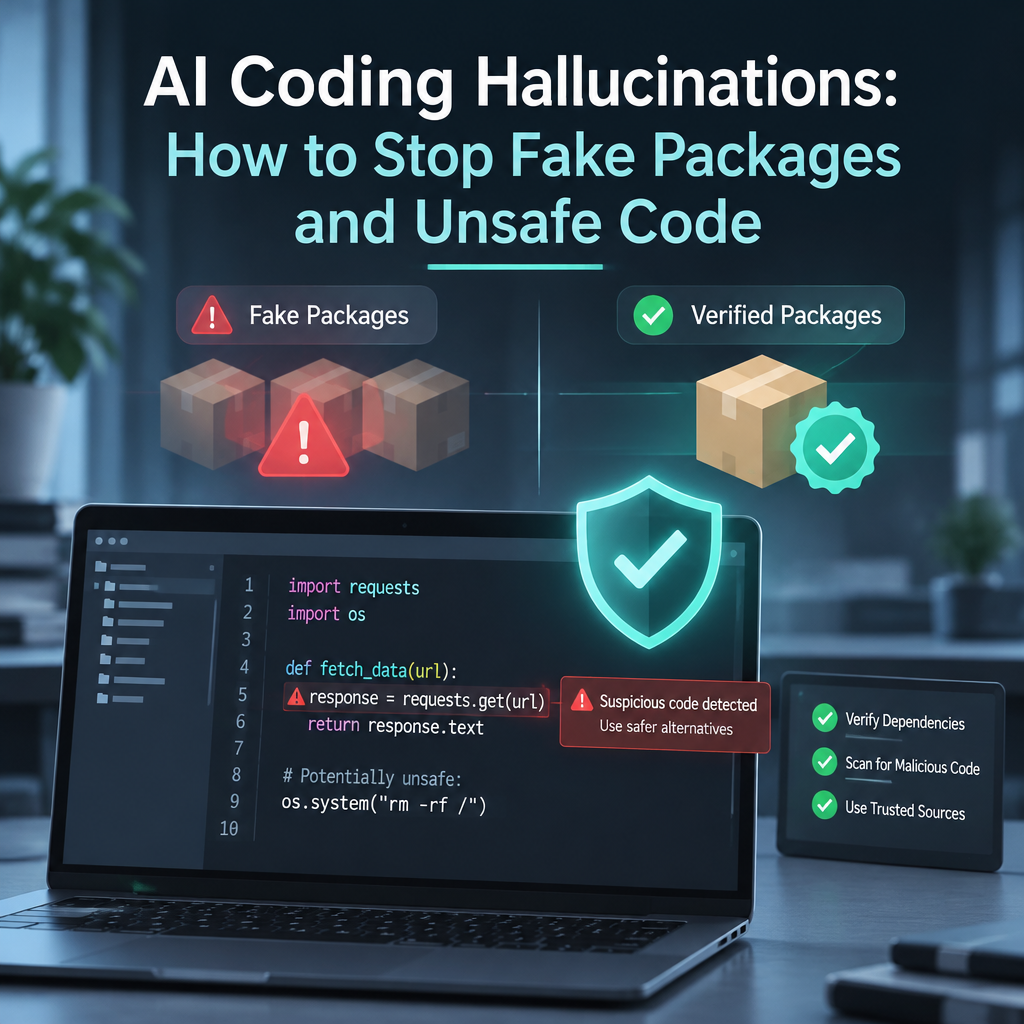
Researchers use the term slopsquatting for an attack in which someone registers a package name that a model tends to invent, then waits for developers to install it. It resembles typosquatting, but there may be no typo: the false name came from the assistant. Depending on the package ecosystem and build process, installation, building, testing, or importing a package can run its code. That code should never receive more access than it needs.
Core Benefits and Importance
AI assistants can save time. They can also add a new source of mistakes to work that already needs careful review. The goal is not to treat every suggestion as dangerous; it is to match the review to the possible harm.
- They speed up routine work. An assistant can draft a test, explain an unfamiliar code path, or sketch a first version of a data conversion. I have found these uses most helpful when I can describe the expected behavior and check the result with existing tests. A quick draft is useful. A mysterious draft is not.
- They help developers explore unfamiliar tools. A generated example can point to the right concept, such as a client library or authentication flow. But package names and method signatures still need to match the current official documentation. One false import can turn a useful shortcut into wasted debugging time.
- They raise the value of software supply-chain controls. Dependency allowlists, lockfiles, registry checks, package review, and provenance checks help whether a dependency was suggested by an AI assistant or a coworker. These controls are basic stewardship of the systems and data entrusted to a team, not red tape for its own sake.
- They can reveal gaps in the development process. If a tool can add an unreviewed dependency or request broad cloud access, the bigger problem may be that the pipeline allows too much. I have seen teams assume a pull-request review would catch everything, only to discover that reviewers rarely inspect every transitive dependency. Automation catches repeatable mistakes more reliably than tired eyes.
- They make security expertise more important, not less. A model may draft authentication code that sounds current while using an approach that no longer fits the threat. For accounts that need strong phishing protection, teams should consider phishing-resistant options such as properly implemented passkeys. National Institute of Standards and Technology guidance describes authentication requirements and phishing resistance in its Digital Identity Guidelines. The right choice still depends on the system, users, and recovery plan.
- They force teams to make responsibility clear. If generated code handles customer data or access control, someone must own its review. An assistant cannot take responsibility for the harm caused by an unsafe decision. People and organizations can, so review must include a person with the right context.
Security advice deserves particular care. A model may suggest SMS codes as a default, overlook recovery risks, or generate a password reset flow that leaks whether an account exists. It may also produce a cryptography example that uses outdated settings or an infrastructure policy with more permissions than the task needs. The answer can read smoothly and still be wrong.
Frankly, speed is only a benefit when the saved time does not reappear as incident response. Keep the useful parts: drafts, explanations, and test ideas. Put stronger checks around package selection, authentication, cryptography, and cloud permissions, where a small error can have a large cost.
Step-by-Step Guide to Reduce the Risk
Start with the systems around the assistant, not with a vague instruction telling it to be careful. Controls that run on every change give the team a better chance than relying on memory.
- List where AI output enters your workflow. Include code completion, chat tools, automated pull requests, generated tests, infrastructure-as-code, and documentation that developers copy into code. Ask what can reach a build, production service, or sensitive data. When I review a workflow, I draw the route from suggestion to deployment; the handoffs reveal where assumptions can pass unchecked.
- Set rules for higher-risk changes. Decide which changes require a qualified reviewer. Authentication, cryptography, authorization, secrets handling, payment logic, and infrastructure permissions should not be approved just because a tool generated a convincing explanation. A small visual marker or pull-request label can help reviewers spot generated code, but the label is only a prompt for review, not a substitute for it.
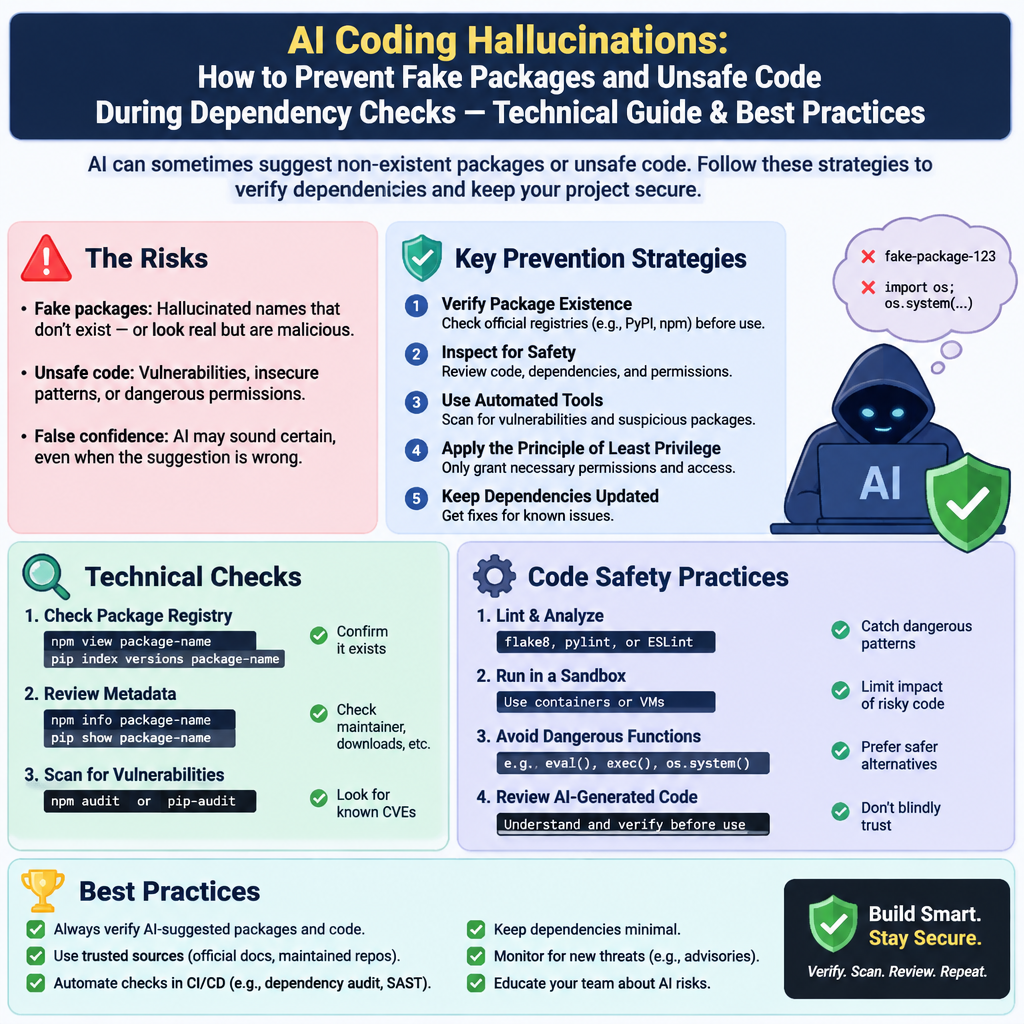
- Check every new dependency before installation. Confirm that the package exists in the intended registry, that its name and publisher are correct, and that it is the package the project means to use. Check its documentation, maintenance history, release details, and known security advisories. For sensitive projects, use an approved dependency list or an internal package proxy that can block unknown packages. Never paste an install command into a terminal solely because an assistant supplied it.
- Pin and review dependency versions. Use lockfiles and pinning practices that fit the package manager. Review changes to both direct and transitive dependencies, and investigate unexpected additions. Where your tooling supports it, verify package integrity and provenance. A lockfile makes the selected version more repeatable, but it does not prove the package is trustworthy; a harmful package can be locked just as reliably as a good one.
- Run automated checks on the code. Use tests, static analysis, dependency scanning, secret scanning, and policy checks in the normal pipeline. For infrastructure, check that proposed permissions match the task and favor least privilege. For code, inspect changes that affect input validation, access checks, error handling, and data boundaries. These tools find classes of problems; they do not certify a program as secure.
- Ground answers in trusted references. Provide approved documentation or use a retrieval system that searches sources your team controls. Ask the assistant to point to the relevant page or API section, then verify the page yourself. Grounding can reduce unsupported claims, but it cannot guarantee a correct answer. The system may retrieve an old page, misunderstand a new one, or invent a citation. OWASP’s guidance on LLM misinformation recommends checking outputs against trusted sources and keeping human oversight for important decisions.
- Review security behavior, not just syntax. Ask what the code allows, what it rejects, what happens during failure, and how credentials are protected. For authentication, consider phishing, account recovery, session lifetime, and rate limits. For cryptography, use established libraries and current standards rather than hand-rolled algorithms. For cloud access, name the exact resource and action required. In my experience, reviewers catch more when they ask these concrete questions than when they simply ask whether the code looks good.
- Measure the errors your tools make. Create a small set of tasks based on your own languages, frameworks, package registries, and security rules. Track nonexistent package recommendations, invalid API calls, unsafe patterns, and how often reviewers must correct generated work. Record the tool version and prompt conditions so you can compare results fairly. The NIST Generative AI Profile offers a risk-management reference for organizations evaluating generative AI. Measurements turn a general worry into something a team can discuss and improve.
- Practice the response before a real incident. Decide how to remove a suspicious package, rotate credentials, rebuild affected artifacts, and notify the right people. If a package has run in a build environment, treat it as a possible security event until an investigation says otherwise. Preserve logs and identify which secrets or systems the build could reach. A response plan written before an incident is far more useful than hurried guesswork.
- Keep human ownership visible. The person approving a change should understand its effect, not just its syntax. If the reviewer lacks the needed expertise, route the change to someone who has it. This does not mean every suggestion needs a committee. It means the riskier the code, the more deliberate the review should be.
The work can sound like extra overhead. In practice, good checks run quickly and repeatedly, while a supply-chain incident can consume days. Use automation for repeatable verification and people for judgment. That division lets a team keep the assistant’s speed without handing it authority it has not earned.
Comparison Table: AI-Generated Code vs. Human-Written Code
The largest alternative to AI-generated code is the familiar approach: a developer writes or adapts the code directly. Neither path is automatically safe. Humans also make errors, copy outdated examples, choose weak dependencies, and miss security flaws. The difference is where the risks appear and how teams should check them.
| Area | AI-generated code | Human-written code |
|---|
| Drafting speed | Often produces a first draft quickly, including boilerplate and examples. | Speed depends on the developer’s experience and familiarity with the task. |
| Source of mistakes | May invent package names, methods, or explanations that sound credible. | May rely on memory, copied examples, or an incorrect assumption. |
| Dependency selection | A suggested name may not exist or may point to an unintended package. | A developer may select the wrong package or fail to check its maintenance. |
| Review needs | Verify facts against official sources and inspect generated logic. | Review assumptions, implementation, and dependencies as usual. |
| Consistency | Can repeat a flawed pattern across many files or suggestions. | Can repeat a personal habit or a team-wide pattern. |
| Best controls | Registry checks, allowlists, tests, scanning, and security review. | The same controls, plus code review and testing. |
Do not read the table as proof that human code is safe or that generated code is always riskier. The available evidence depends on the model, prompt, language, task, and review process. A person may catch an obvious invented package and miss a subtle access-control bug. A model may write a correct test and still make a bad claim about why it passes.
In large teams, I have seen a useful distinction: humans are often better at understanding local intent, while automation is better at checking the same rule on every change. Combine them. Let the assistant draft routine code, let automated checks reject known failures, and let a reviewer judge whether the solution fits the real system. That balance is more reliable than treating either source as an oracle.
Common Mistakes to Avoid
Trusting a polished explanation. Fluency is not a quality signal. A model can describe a fabricated function in a calm, detailed voice, and extra explanation can make the claim feel more believable. Check the library’s official documentation, inspect the exact version, and run a small test. If the claim cannot be verified, do not build a critical path around it.
Assuming a package name is harmless until it is installed. Teams sometimes wait for a build error before checking a suggested dependency. That is too late if the name has been registered by someone else. Confirm the package before installing; use registry controls to block unknown dependencies; and limit the permissions available to local and continuous-integration builds. The truth is, dependency review is cheaper before execution.
Treating a lockfile as proof of safety. A lockfile helps reproduce dependency selection. It does not prove that the selected package is the intended one, free from malicious code, or safe to run. Review new entries, verify the source, and scan for known issues. A precise record of a bad choice remains a bad choice.
Letting the assistant write security-critical code without a real review. A generated authentication flow may omit rate limits, mishandle recovery, or use a method that is weak against phishing. A cloud policy may grant access across an entire account when the service needs one resource. Ask a reviewer to trace the security behavior and compare it with current standards. A green test suite is helpful, but tests only cover what someone chose to test.
Believing that a better prompt fixes the problem. Clear prompts improve the odds of useful output. They do not prove the output is true. Telling a model not to invent packages is sensible, but it cannot replace registry checks. Retrieval from trusted documents helps, but retrieved information can be stale or misread. Keep prompt improvements; do not mistake them for enforcement.
Measuring only how much code the tool produces. Lines generated and time saved tell little about correctness, security, or maintenance cost. Track rejected packages, corrected APIs, review findings, and failures found after merge. Be fair about the comparison: measure the human process too. If a tool creates a modest draft but increases review time or risk, the claimed productivity gain may be mostly noise.
OWASP treats misinformation as a risk in generative AI applications and advises teams to cross-check important outputs. That matches ordinary engineering discipline: check claims, limit permissions, and keep responsibility with people. The best control is rarely a dramatic ban. It is a plain rule that runs every time.

Frequently Asked Questions
What is a coding AI hallucination?
It is an AI-generated claim or code suggestion that appears credible but is false or unsupported. Examples include a package that does not exist, an API method with the wrong name, or security advice that leaves a weakness. Check important details against official sources and working tests.
What is slopsquatting?
Slopsquatting is a supply-chain attack in which someone registers a package name that an AI model tends to invent. A developer may then install that package while following generated advice. Verify the package name and publisher in the intended registry before installation, and block unapproved dependencies where possible.
How can developers check AI-suggested packages?
Confirm the exact name and registry, inspect the publisher and project information, check the official documentation and version, and review security reports. Use lockfiles, dependency scanning, approved package lists, and a controlled package proxy when appropriate. Do not assume a package is safe just because it installs successfully.
Is AI-generated code safe to use in production?
It can be used when it passes the same checks as other code and receives extra scrutiny where the impact is high. Review authentication, authorization, cryptography, secrets, and infrastructure permissions with qualified people. Test the behavior, verify dependencies, and make sure the code fits the system’s security requirements.
Final Thought
AI coding assistants can be useful tools. They can also make a false detail look finished before anyone has checked it. I have seen how easy it is for a team to focus on the neat patch and miss the new dependency, the broader permission, or the security assumption hiding inside it. A little skepticism is not hostility toward the tool; it is part of doing careful engineering.
The practical answer is to put verification where work already happens. Check dependencies before installation. Run automated scans and tests. Limit build credentials. Review security-sensitive code with people who understand the risks. Track what the assistant gets wrong, then adjust controls as the tools and systems change. If a suggestion cannot be verified, it does not belong in a critical system yet.
Good engineering is a form of stewardship: people are trusted with systems, data, and the work of colleagues and customers. Protecting those things is not separate from productivity. It is what lets useful tools serve people without asking them to accept avoidable harm. I’m Ermenildo Valdez Castro, Jr.; I’d rather ship a little later than ship a confident mistake that could have been caught by a simple check.