AI Coding Hallucinations: How to Stop Fake Packages and Unsafe Security Advice
AI coding hallucinations occur when an assistant invents a package, API, or security fact and presents it as real. The code may look polished, and it may even compile, while depending on a package that does not exist or an unsafe design. Teams need repeatable checks before generated code enters trusted builds.
AI assistants can save time on routine work. They can also produce confident nonsense at impressive speed. That combination deserves more care than either blind trust or a blanket ban.
Across engineering work at Google, Microsoft, Amazon, and Zulily, I learned the same lesson in code reviews: the cleanest-looking patch can still hide a bad assumption. I remember a review where the conversation focused on naming and formatting while nobody checked whether a proposed library existed. That was a small oversight with the potential to become a supply-chain problem. The fix is not to shame a reviewer for missing a subtle clue. The fix is to put reliable checks in the path before the code reaches a build with credentials, customer data, or deployment access.
What Are AI Coding Hallucinations?
An AI coding hallucination is generated code or technical guidance that appears credible but contains an invented or false claim. The assistant is not checking a fact database each time it answers. It predicts likely text from patterns learned during training, and a likely-looking answer is not necessarily a true one.
That distinction matters. If an assistant is asked for a package that handles a common task, it may produce a name that follows familiar naming rules even when no such package exists. It may invent a method that resembles the real methods in a software development kit. Or it may cite an old security pattern as if it were current guidance. The model’s fluent tone does not tell you which of those things happened.
Code adds camouflage. A fabricated package can look like a genuine package from the same ecosystem. An invented method can fit the style of a real API. A code sample can compile if it uses existing functions, yet still handle identity, permissions, or secrets incorrectly. Compiling proves that a compiler accepted a particular form of code. It does not prove that the code does what the author intended, or that it is safe.
Hallucinations also vary in severity. A wrong explanation in a throwaway example may waste a few minutes. A nonexistent dependency added to a production project may expose a build to an attacker. An inaccurate authentication recommendation may weaken an account protecting real people and real data.
The scale of package fabrication is not just theoretical. A research paper, an analysis of package hallucinations in code-generating models, tested 16 models and reported more than 205,000 unique fabricated package names across its experiments. In that test setting, roughly one in five recommended dependencies pointed to a package that did not exist. Those results describe the researchers’ prompts and models, not every tool or every developer’s experience. Still, they show why checking package names is sensible engineering, not needless paperwork.
Why AI Coding Hallucinations Matter
Speed is useful. Unchecked speed can create expensive cleanup.
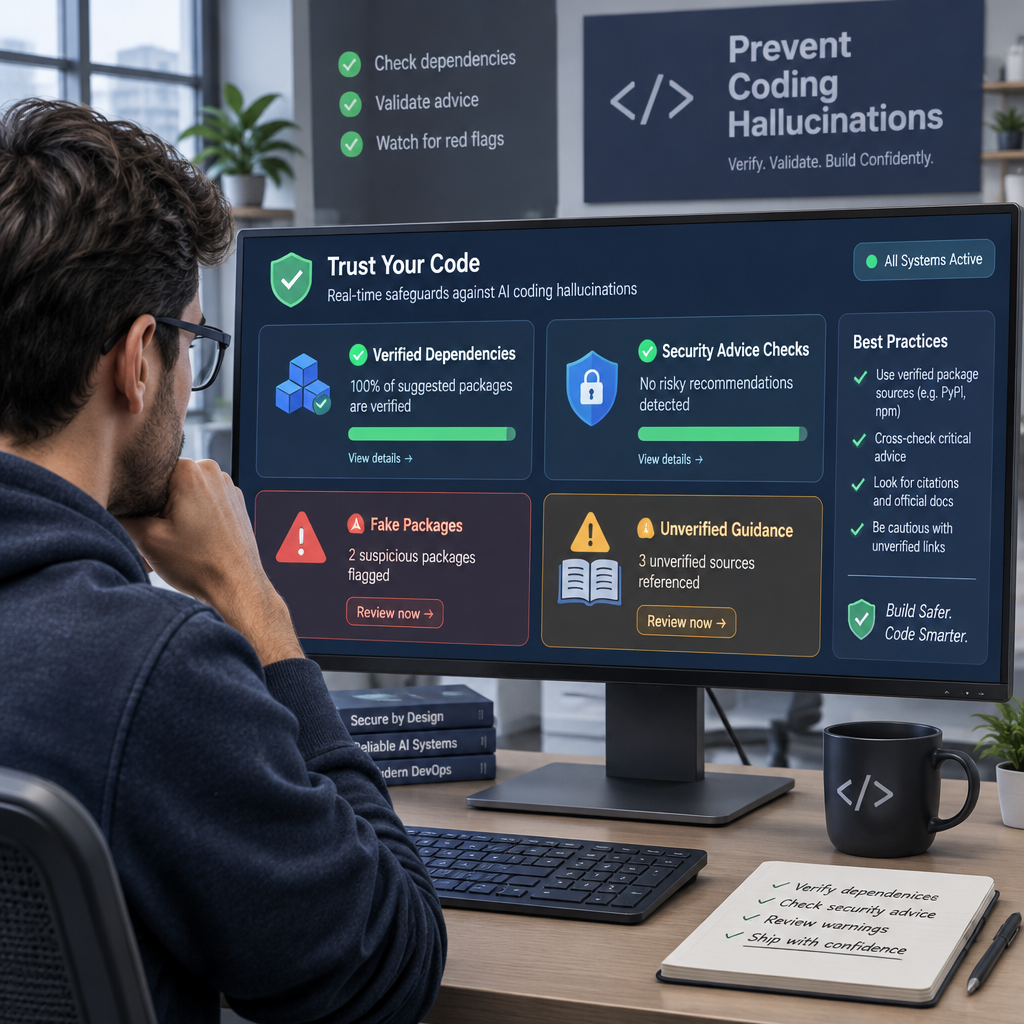
The risk is not limited to code quality. Generated suggestions can affect software supply chains, identity checks, cloud access, cryptography, and the decisions a reviewer thinks they have already verified. Here are the main reasons to take the issue seriously:
- A fake dependency can become a supply-chain opening. An attacker can watch for package names that assistants repeatedly invent, register one of those names on a public registry, and wait for a developer to install it. Researchers call this pattern slopsquatting. Depending on the package and ecosystem, malicious code may run during installation or when the package is later imported or executed. Never assume the install step is harmless.
- Security advice can sound current while being stale. A model may propose SMS codes as a default for an important account, suggest old cryptographic choices, or write a cloud policy with broader access than the task needs. For accounts that require stronger protection, current guidance favors phishing-resistant authentication options such as passkeys. NIST’s digital identity guidance explains authentication requirements and phishing resistance. Passkeys are not magic, and account recovery still needs care, but they are designed to resist common credential-phishing attacks.
- Reviewers can confuse polish with evidence. In code reviews I have seen people spend their attention on tidy structure while skipping the more important question: where did this dependency or security rule come from? A readable patch is easier to trust, which makes verification more important, not less.
- Broad build permissions magnify a mistake. If a build can reach secrets, deployment credentials, or internal systems, a malicious dependency has a larger opportunity to cause harm. Least privilege reduces the damage if a check fails.
Here’s the kicker: the model’s mistakes do not need to be clever. A simple false assumption is enough when it lands in a trusted pipeline. Software serves people, not just test suites; protecting the people who depend on it is part of responsible stewardship of the tools and skills entrusted to a team.
Step-by-Step: How to Guard Your Pipeline
Good guardrails do not require banning AI tools. They make risky suggestions prove themselves before the build trusts them. I use a risk-based process: check identity and provenance first, then check behavior and permissions.
- Mark high-risk changes before asking for code. Decide which areas need stricter review: authentication, payment handling, cryptography, authorization, secrets, cloud permissions, and production dependencies. A generated comment or test fixture is not the same risk as generated code that decides who can access an account. Write down the rules so reviewers do not have to guess.
- Confirm every dependency in its official registry. Check the exact package name, ecosystem, maintainer, repository, release history, and whether the proposed version exists. Do this before running the suggested install command. A registry listing only proves that a package was published; it does not prove that it is safe or maintained. Compare the package with official project documentation when possible.
- Pin and review what the build installs. Use a lockfile that records exact dependency versions and review changes to it like code. Where available, check package integrity, signatures, or provenance information. Generate or update a software bill of materials when your process calls for one. Pinning prevents silent version shifts, but it cannot make a malicious pinned package trustworthy.
- Keep build permissions narrow. Run dependency installation and tests in an environment that does not have access to credentials it does not need. Separate build jobs from deployment jobs where practical, limit network access, and avoid exposing long-lived secrets to untrusted code. A sandbox is not a substitute for checking a package. It is a firebreak if another check misses something.
- Check security behavior against trusted guidance. For authentication, review the threat model, recovery flow, rate limits, and how credentials are stored. For cloud access, confirm each permission is needed rather than accepting a broad wildcard. For cryptography, check current guidance rather than accepting a confident explanation from a chatbot. NIST’s Secure Software Development Framework offers practices for building security checks into software work.
- Ground answers in documentation you control. Retrieval-augmented generation can give an assistant approved API references, internal standards, or current security documentation to use. That can reduce unsupported guesses. It cannot guarantee that the assistant interpreted the source correctly, so require links or citations and verify important claims yourself.
- Measure failures and tune the controls. Track how often suggested dependencies do not exist, imports fail validation, or security reviewers reject generated patterns. Record findings by tool, language, and type of task. This turns a general worry into a signal you can compare over time. OWASP’s LLM application security resources include misinformation among the risks teams should consider.
I have found that checks work best when they run automatically and produce a clear failure message. A reviewer should see which package failed registry verification or which policy grants excess access—not a vague red mark with no explanation. That is how you keep useful automation without asking people to catch every defect by eye.

Comparison: AI Coding Suggestions vs. Documentation-First Work
The practical alternative to AI-generated suggestions is a conventional workflow: a developer searches official documentation, checks a package registry, then writes or adapts code. That approach takes more manual effort, but it can make the evidence behind a decision easier to see. There is no fair, universal speed contest here; the actual tradeoff depends on the task, tool, and team.
| Measure | AI-generated coding suggestion | Documentation-first workflow |
|---|
| First draft | Often fast and tailored to a prompt | Usually slower; requires search and reading |
| Package evidence | May invent a plausible package or version | Developer can check the official registry directly |
| API detail | Can produce a convincing but nonexistent method | Documentation shows supported methods and versions |
| Security guidance | May repeat outdated or overbroad patterns | Current standards are available, but still need interpretation |
| Review burden | Requires checking claims, imports, and behavior | Requires checking the developer’s choices and sources |
| Best use | Boilerplate, exploration, and drafts with verification | High-risk decisions and facts that need clear provenance |
The package research discussed above found about one in five suggested dependencies nonexistent in its experimental setting, across 16 models, with more than 205,000 fabricated names in the test results. That is a warning about the tested outputs, not a guarantee that every assistant has the same error rate. It also does not show that manual research is error-free. Developers can mistype names, choose abandoned packages, or misread documentation.
Frankly, the useful choice is not AI or no AI. It is whether the workflow makes claims checkable. Ask an assistant for a draft, but require the package registry, official API documentation, tests, and a human review to carry the final decision. The older workflow remains the stronger reference point for evidence; the assistant is a faster drafting tool, not an authority.
Common Mistakes to Avoid
Most teams do not fail because they lack another checklist. They fail because they mistake a narrow check for a complete one. These habits look reasonable but leave gaps.
- Treating a clean build as proof of safety. Code can compile and still install an untrusted package, grant unnecessary permissions, or mishandle authentication. Build success answers a limited question. It does not certify security.
- Asking the model to verify its own answer. A follow-up such as “Are you sure this package exists?” may produce a correction, but it may also produce another confident guess. Verify the name using the registry itself, not the model’s reassurance.
- Assuming an allowlist stays useful without maintenance. A list of approved packages can block unknown dependencies, but old entries may become unmaintained or change ownership. Assign someone to review the list and document exceptions. An allowlist is a control, not a blessing bestowed on every package forever.
- Believing retrieval removes hallucinations. A system connected to approved documentation can still cite the wrong passage, miss a version change, or make an invalid conclusion. Check whether the cited document applies to the language, version, and threat in question.
- Reviewing only the new source file. Dependency changes, lockfiles, install scripts, generated cloud policies, and permissions deserve attention too. I have seen a review focus on the main function while the dependency update quietly carried the greater risk. The diff is larger than the code block the assistant wrote.
- Using one rule for every kind of suggestion. Blocking every generated line wastes time and can push usage into untracked work. Trusting every generated line is worse. Set controls by impact: a test helper and an authentication change should not receive identical review.
Let’s be real: “the assistant said so” is not a technical source. Neither is a plausible-looking blog post or a package description with polished wording. Use primary documentation, registry records, secure defaults, and tests. NIST’s secure development guidance is useful because it emphasizes repeatable work practices rather than asking teams to rely on memory or personal vigilance alone.
Frequently Asked Questions
How can I detect a hallucinated package recommendation?
Check the exact package name in the official registry for its ecosystem before installing it. Then inspect its publisher or maintainer, source repository, release history, dependencies, and provenance details where available. A package that does not appear may be fabricated, mistyped, or private to an organization; confirm the context before deciding. A package that does appear is not automatically safe. Review its behavior and permissions, and avoid testing unknown packages on a machine or build agent holding valuable credentials.
Can AI-generated code compile and still be wrong?
Yes. Compilation checks whether code meets a set of language and type rules; it does not prove that its logic is secure or correct. A sample may call real functions in the wrong order, mishandle an error, use an unsafe default, or rely on a package with malicious behavior. Tests can catch some of these problems, especially when they cover realistic cases. Tests cannot prove the absence of every flaw. Review the purpose, inputs, permissions, and failure paths, then test the behavior that matters.
Does retrieval-augmented generation eliminate AI coding hallucinations?
No. Retrieval can provide approved documentation or current internal standards, which gives the model better material to use. It can reduce unsupported answers when the sources are relevant and up to date. The system can still retrieve the wrong version, misread a source, or invent details not present in it. Ask for source references, check them yourself for important decisions, and keep security review in the process. Retrieval is a useful guardrail, not a guarantee.
Should a development team disable AI coding assistants?
Not necessarily. For routine drafts, test scaffolding, and low-risk examples, an assistant can save time when its output is reviewed. For authentication, cryptography, access control, dependencies, and production infrastructure, require stronger evidence and checks. Set clear rules about sensitive code and data, and make them easy to follow. If your tools cannot meet those rules, restrict their use in that part of the workflow until they can. The aim is controlled use, not faith or panic.
Final Thought
AI tools can make good engineers faster, but speed does not make a guess true. The sensible response is to ask what a suggestion wants the team to trust: a package name, an API, a security rule, or a permission grant. Then verify that claim where it can actually be verified.
In my experience, the strongest teams do not depend on one unusually alert reviewer. They design a process where registry checks, lockfiles, limited build access, and focused security review catch ordinary mistakes before those mistakes reach customers. That process respects the dignity of the work and the people who rely on its results. It also lets developers spend their attention on judgment rather than repeating checks a machine can do consistently.
I still use AI-generated code as a starting point. I do not treat confident wording as proof, and I do not let a fast answer skip the basic questions. Keep the useful speed. Make the evidence earn trust.